NotificationX Builder gives the wonderful opportunity to add your own personalized content for the ‘Notification Alert’ you are designing. Let’s follow the guideline below to learn how to use the ‘Content’ tab in NotificationX:
Step 1: Choose A Notification Alert #
First of all, go to your WordPress dashboard and navigate to wp-admin -> NotificationX -> NotificationX Builder.
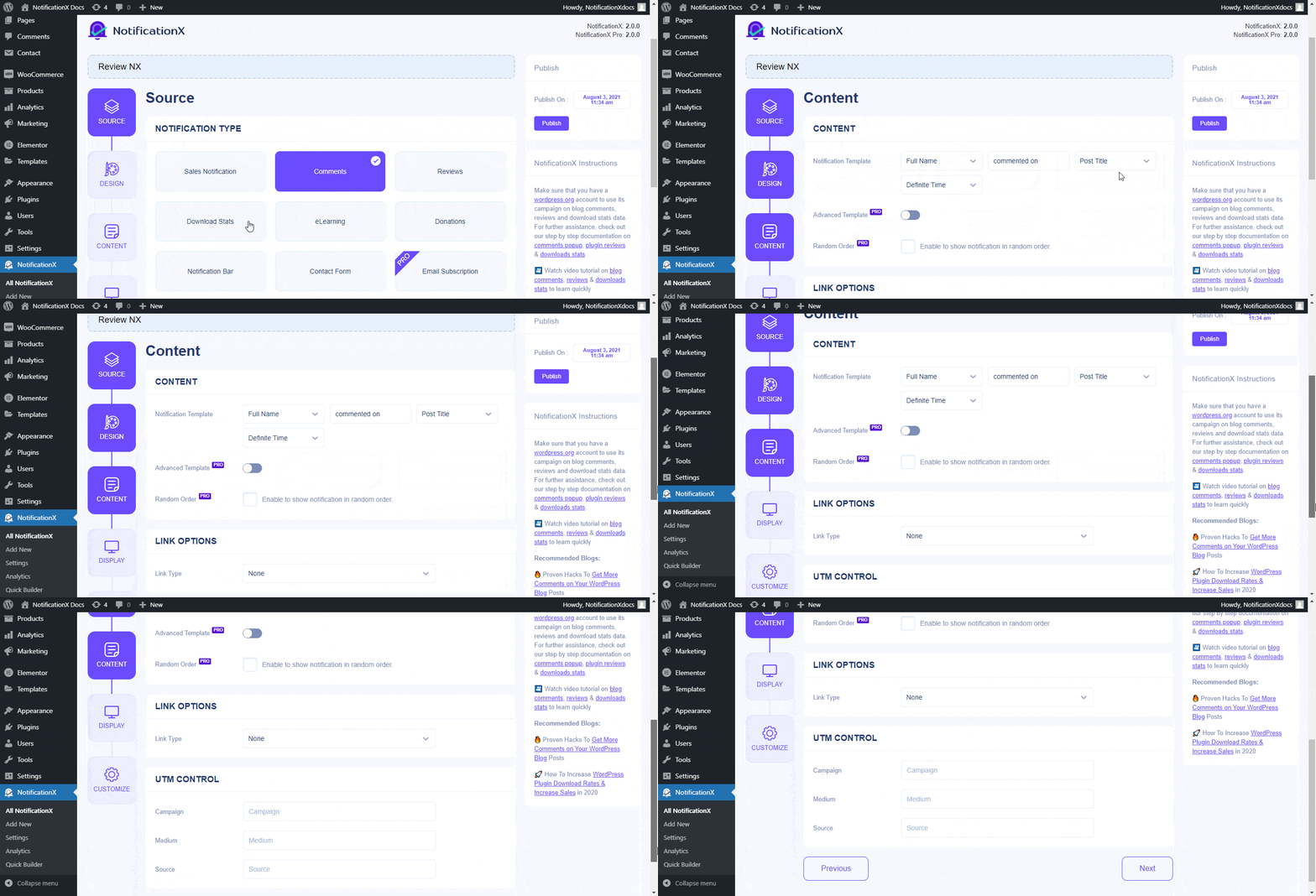
After picking your preferred ‘Notification Type’ from the ‘Source’ option, and configuring the notification from the ‘Design’ tab from NotificationX builder, you will be redirected to the ‘Content’ tab.
Step 2: Configure The Content Settings #
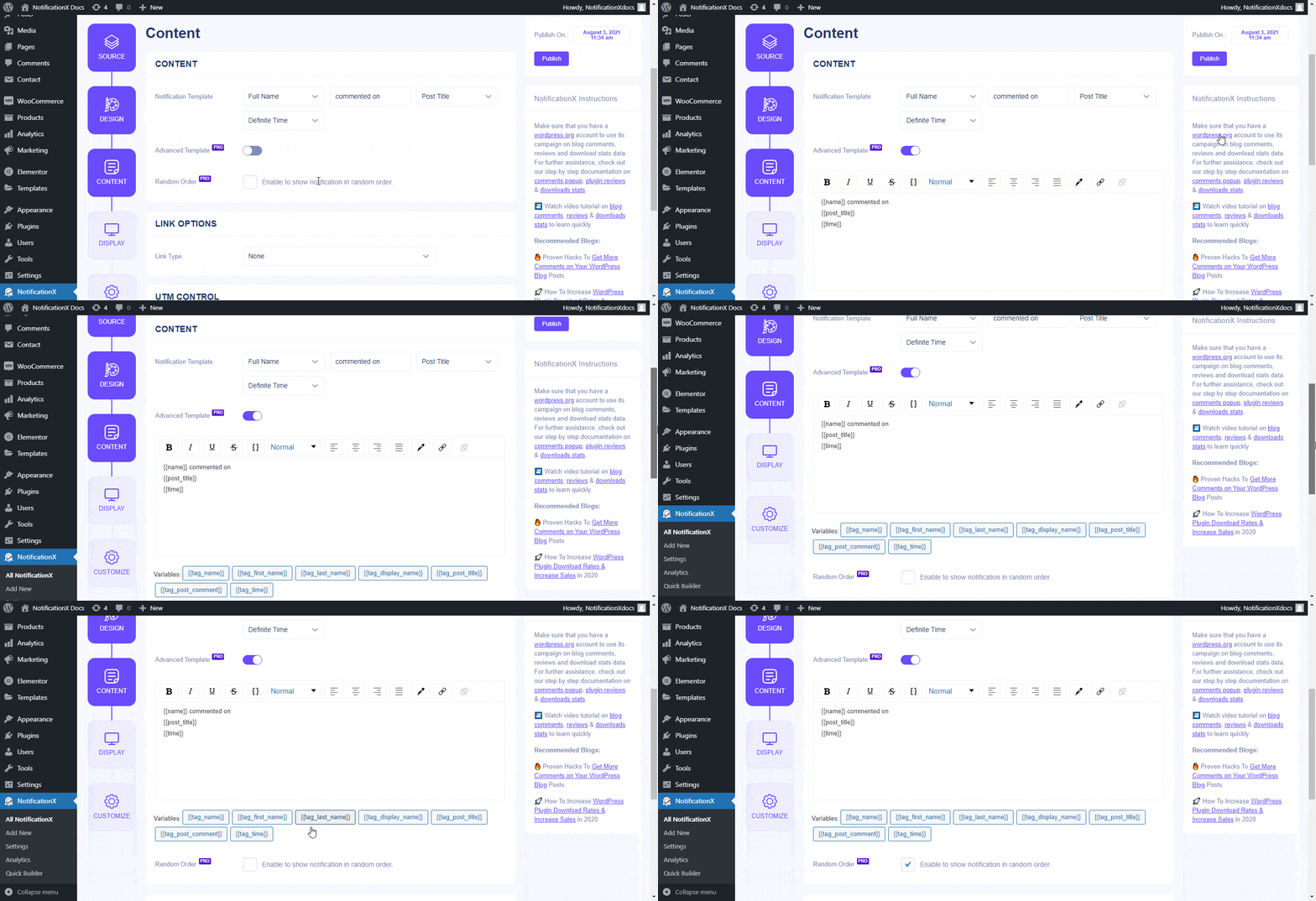
From the ‘Content’ tab, you can change the content which will appear in the notification alert. You have the freedom to modify the ‘Notification Template’. Besides, you can use the ‘Advanced Template’ option to make further customization to your notification template.
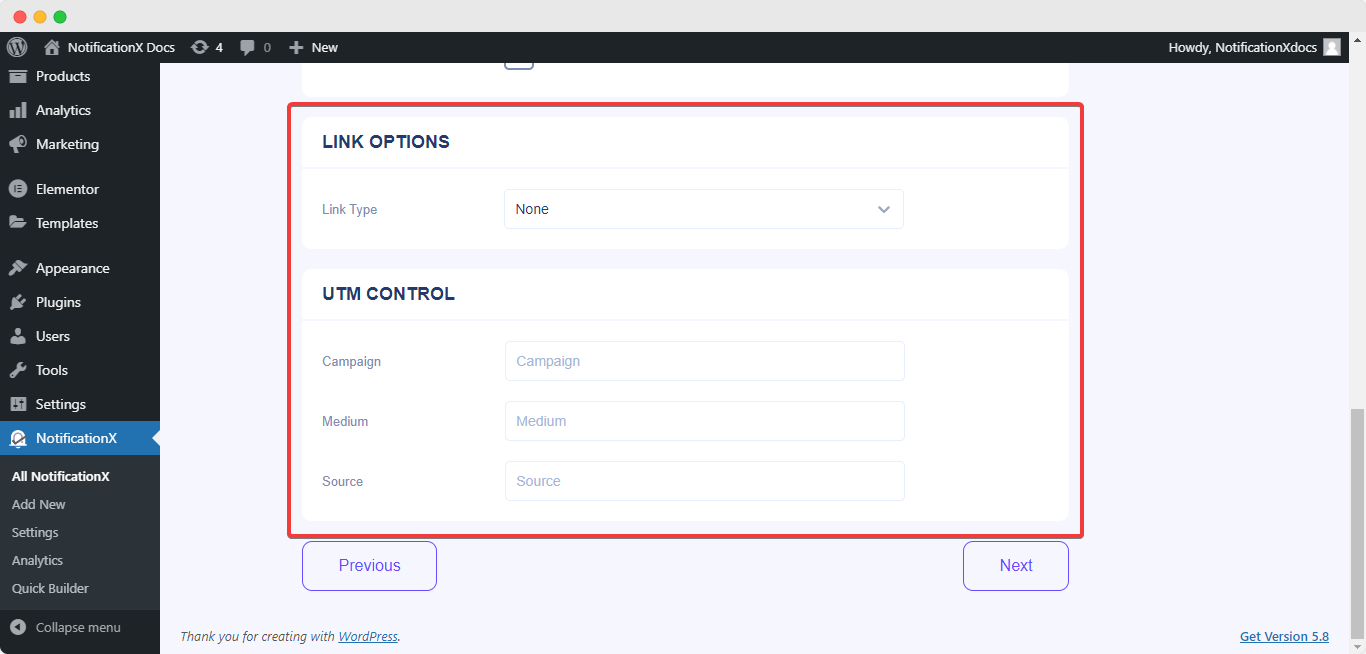
Moreover, you can choose a ‘Link Type’ for your notification alert. Apart from that, ‘UTM Control’ allows you to add ‘Campaign’, ‘Medium’, and ‘Source’ to your notification popup.
Depending on your notification type, you will find some minor changes in the ‘Content’ settings. Let’s check out the below guideline:
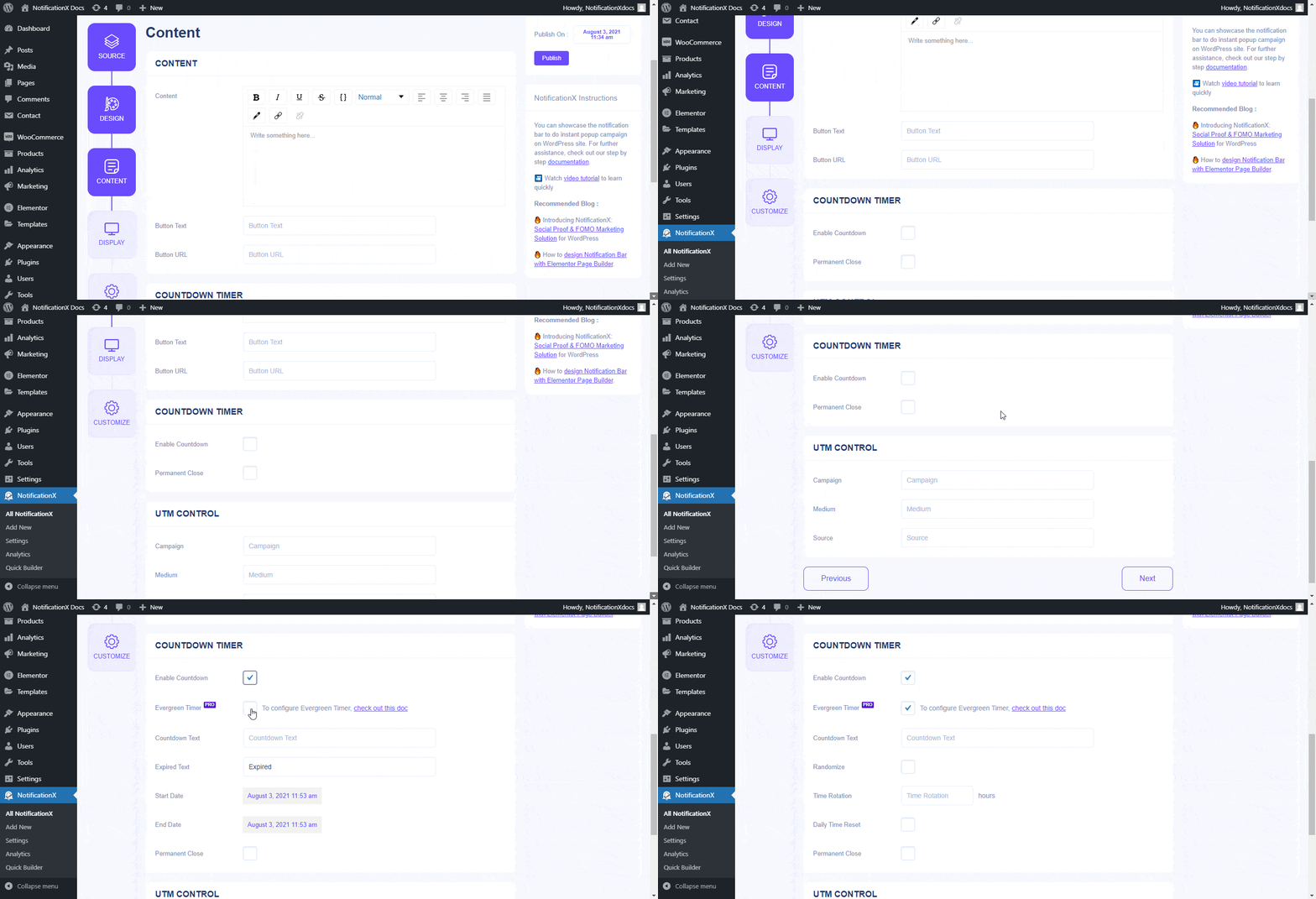
For ‘Notification Bar’ as a source type, you can insert your own content, button text & button URL. Also, you can use the checkbox to enable/disable the ‘Countdown’ option. If it’s enabled, then you can add a ‘Countdown Text’ and ‘Countdown Time’ of your preference.
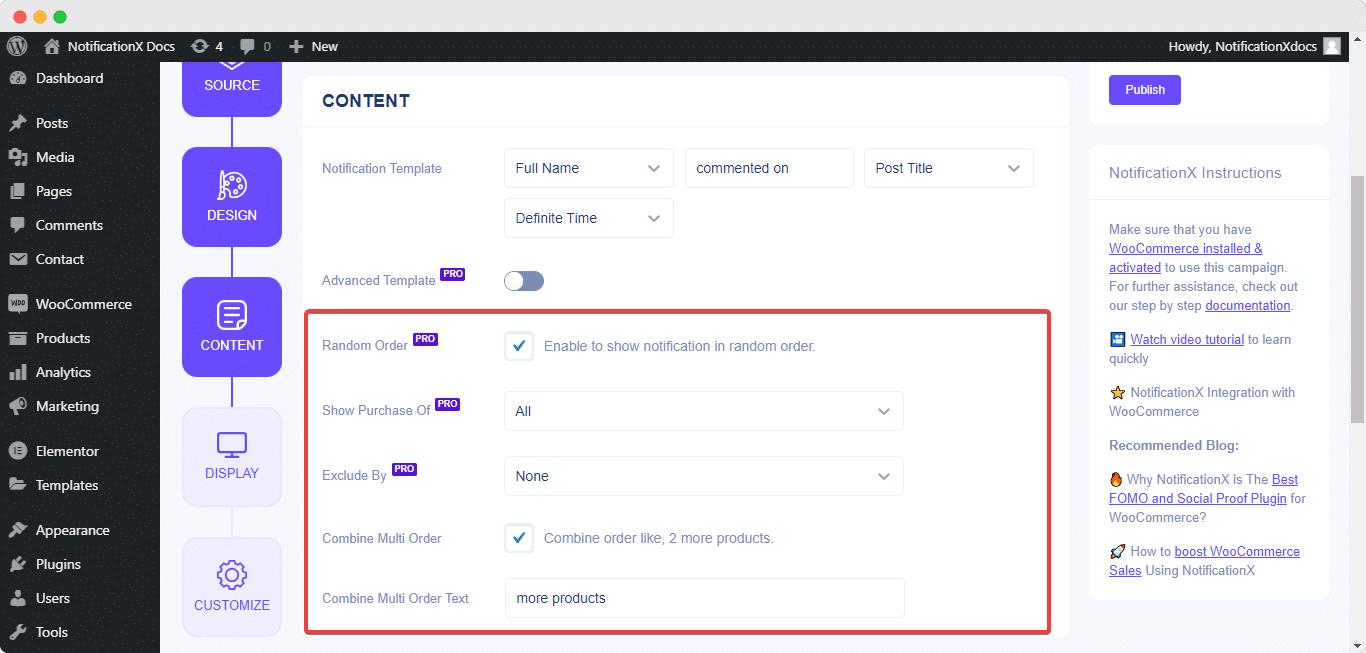
If you choose ‘Sales Notification’, you can display notification alerts based on certain product categories. If you want, you can even exclude a specific group of products as well.
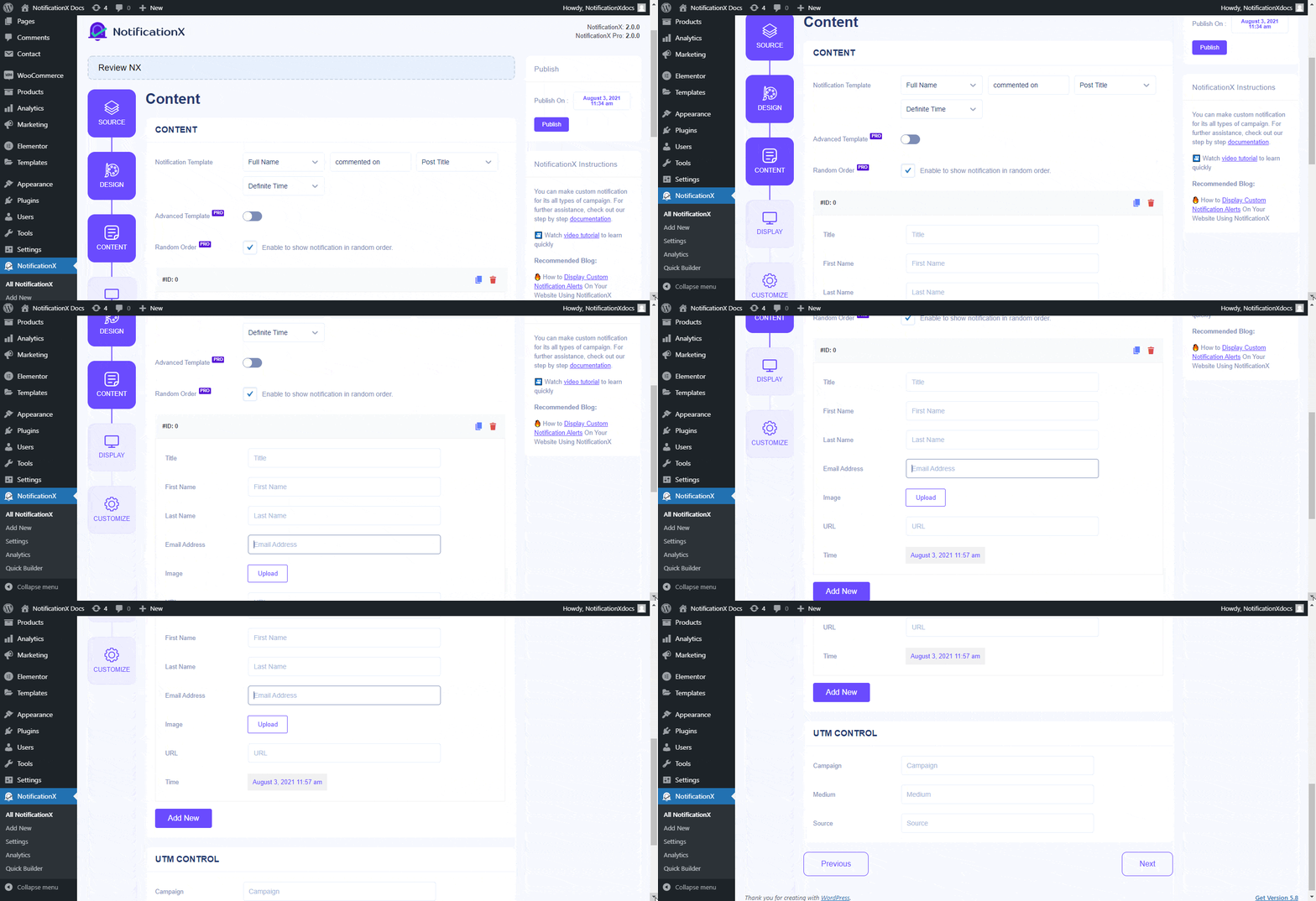
If you want to display ‘Custom Notifications’ alerts, you can add custom user information from the ‘Content’ tab and fill up all the fields as per your wish. You can also go ahead and add as many custom conversions as you want.
This is how you can easily add content text & modify the notification template for your notification alerts by using the ‘Content’ tab in NotificationX.
Getting Stuck? Feel free to contact our Dedicated Support Team for further assistance and queries.


 English
  Arabic
  Indonesian
  Spanish
  Bengali
  Portuguese
  German
  Dutch
Dutch  Russian
  Hindi
Hindi  French
  Japanese
  Chinese
  Vietnamese
  Malay
Malay