
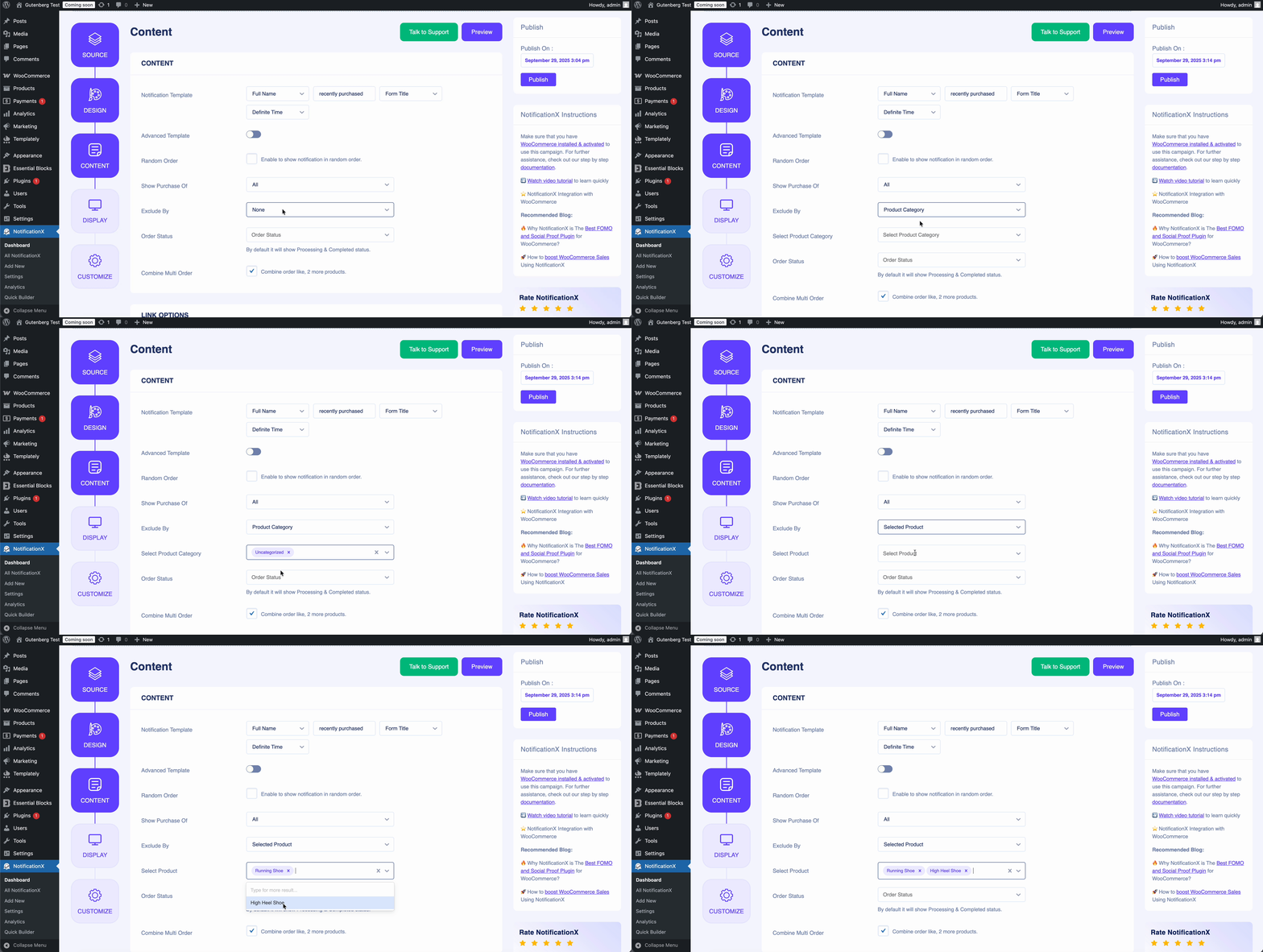
দ্য Exclude By option in NotificationX functions in the opposite way from the এর ক্রয় দেখান feature. While the এর ক্রয় দেখান allows you to display notifications for specific products, the Exclude By option lets you exclude certain WooCommerce product notifications from being shown to your visitors.
With this feature, you can filter notifications based on product categories or individual products, giving you full control over what appears on your site. You can exclude a single product or category, or select multiple items at once, depending on your requirements.
Here’s how it works in practice: 👇
আপনি যদি কোনও সমস্যার মুখোমুখি হন বা আরও কোনও সহায়তার প্রয়োজন হয় তবে নির্দ্বিধায় আমাদের সাথে যোগাযোগ করুন সহায়তা দল.


 English
  Arabic
  Indonesian
  Spanish
  Bengali
  Portuguese
  German
  Dutch
Dutch  Russian
  Hindi
Hindi  French
  Japanese
  Chinese
  Vietnamese
  Malay
Malay