
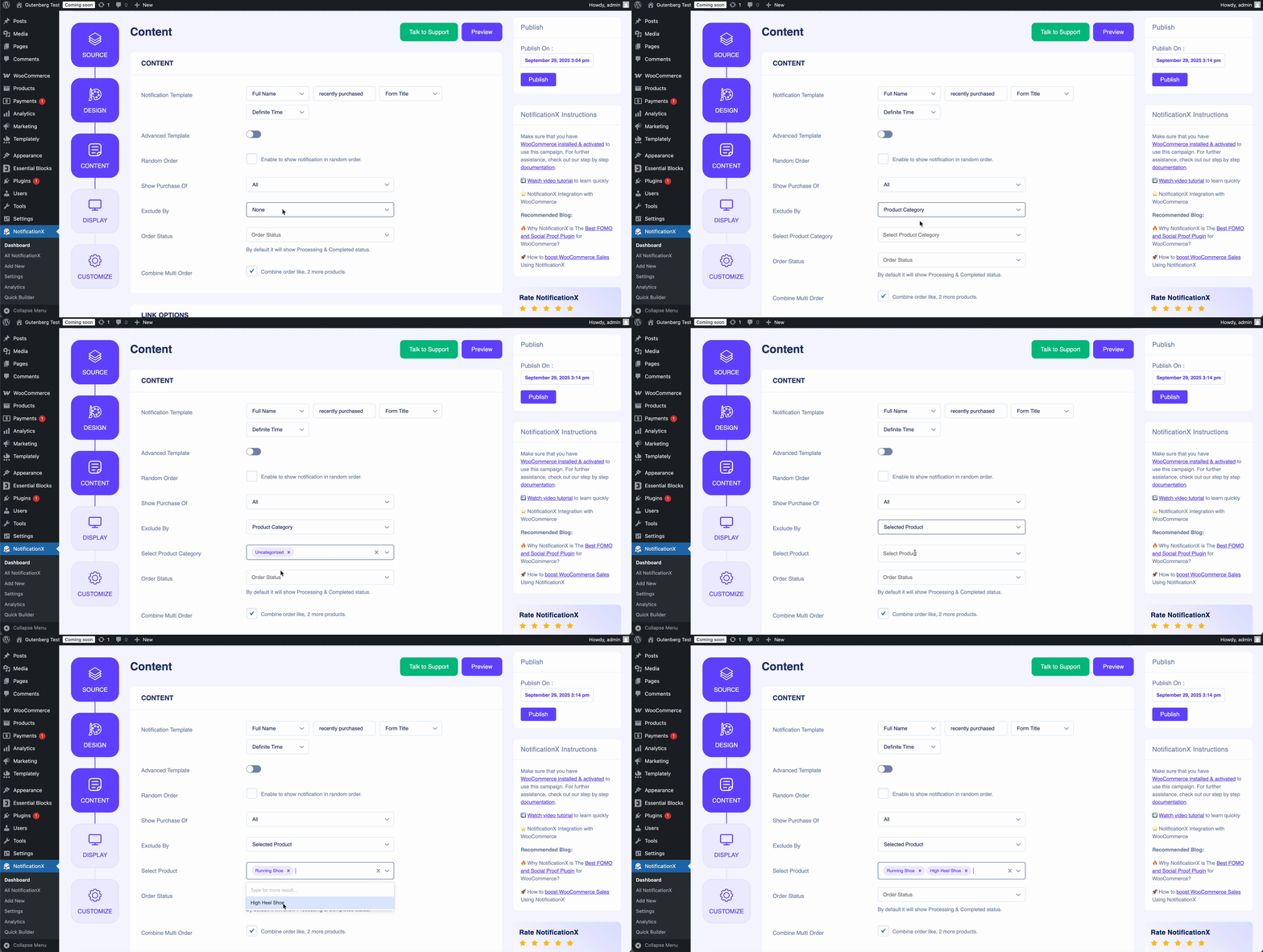
los Exclude By option in NotificaciónX functions in the opposite way from the Mostrar compra de feature. While the Mostrar compra de allows you to display notifications for specific products, the Exclude By option lets you exclude certain WooCommerce product notifications from being shown to your visitors.
With this feature, you can filter notifications based on product categories or individual products, giving you full control over what appears on your site. You can exclude a single product or category, or select multiple items at once, depending on your requirements.
Here’s how it works in practice: 👇
Si tiene algún problema o necesita más ayuda, no dude en ponerse en contacto con nuestro Equipo de apoyo.
 English
  Arabic
  Indonesian
  Spanish
  Portuguese
  German
  Dutch
Dutch  Russian
  Hindi
Hindi  French
  Japanese
  Chinese
  Vietnamese
  Malay
Malay