
NotificationX offers mobile responsive theme options along with selected themes for desktops, ensuring your notifications look great on all devices. Mobile responsive notifications provide a consistent and engaging experience for users viewing your notifications on a mobile device. This helps you to turn your visitors into customers.
Hinweis: Before using a mobile responsive theme, make sure that you already have installed the NotificationX Pro plugin & activated the NotificationX PRO License Key on your WordPress website.
Configure Mobile Responsive Themes in Notification with NotificationX #
Follow the steps below to set a responsive theme for notifications on mobile devices with NotificationX.
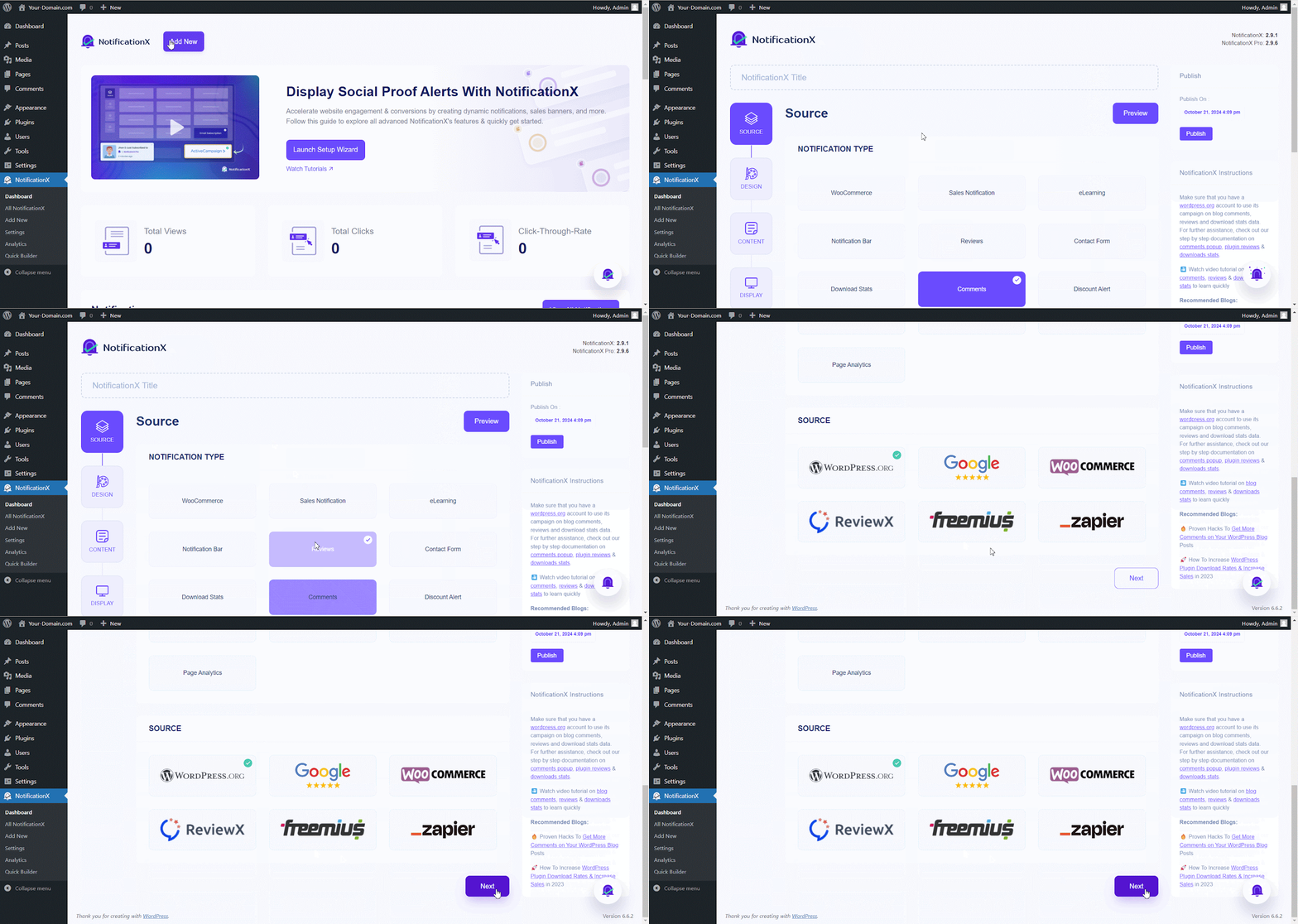
Step 1: Add & Select a New Notification Type #
From your NotificationX dashboard click on the ‘Neue hinzufügen’ button to add a new notification. Now, select a ‘Benachrichtigungstyp’ and source then hit the ‘Nächster' Taste.
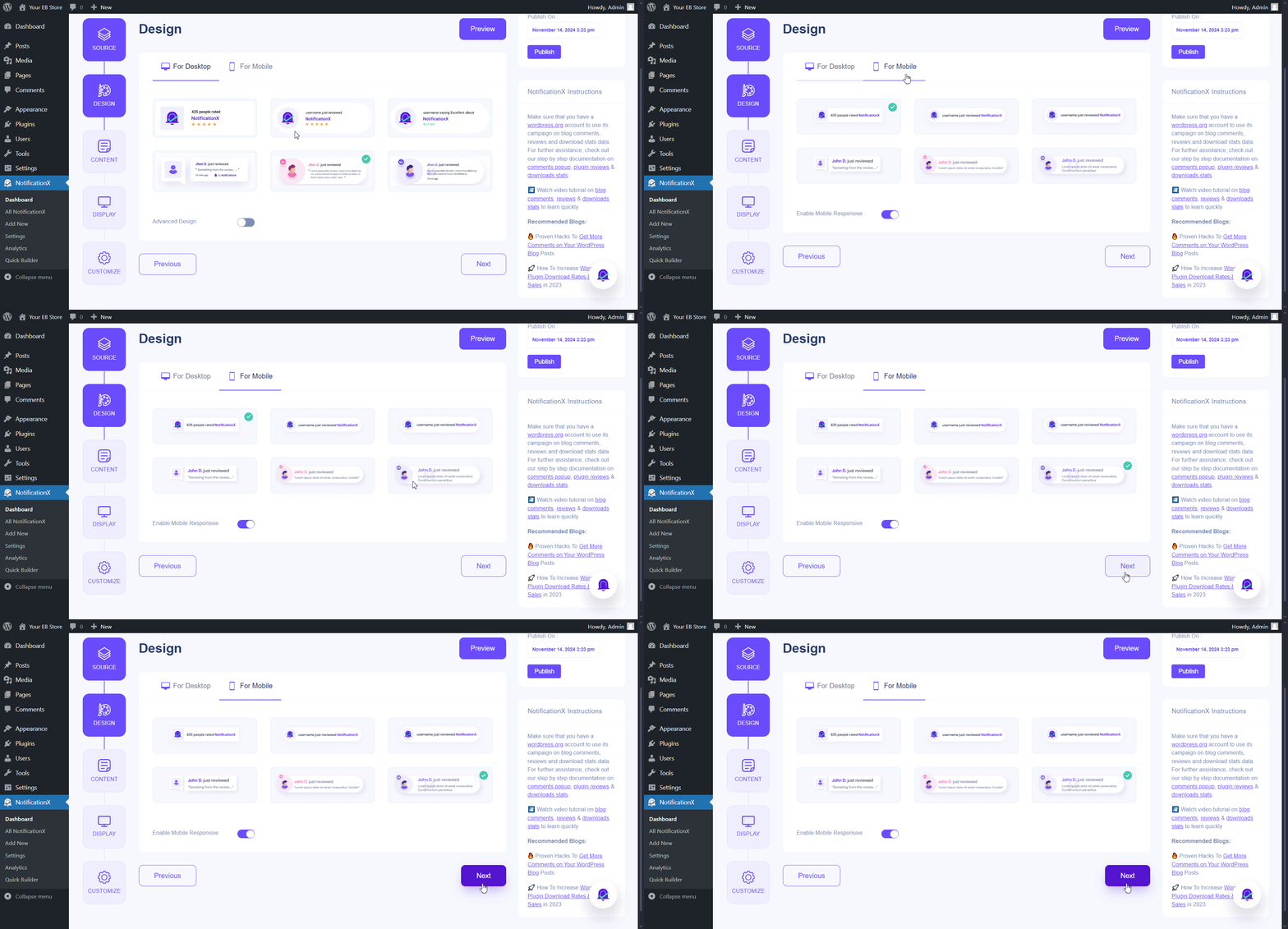
Step 2: Select A Mobile Responsive Theme #
Here, in the design settings, after choosing a desktop theme, move to the ‘For Mobile‘ Tab and select a mobile responsive theme alternative to the desktop theme to give your visitors a better experience on all devices. Now, click on the ‘Nächster' Taste.
Step 3: Configure & Publish #
After choosing a mobile theme, add your content and adjust how you want to show notifications. Next in the customization tab, you can check mark whether to display/hide NotificationX on the mobile.
Hinweis: By default mobile visibility check box is checked on to hide NotificationX on Mobile.
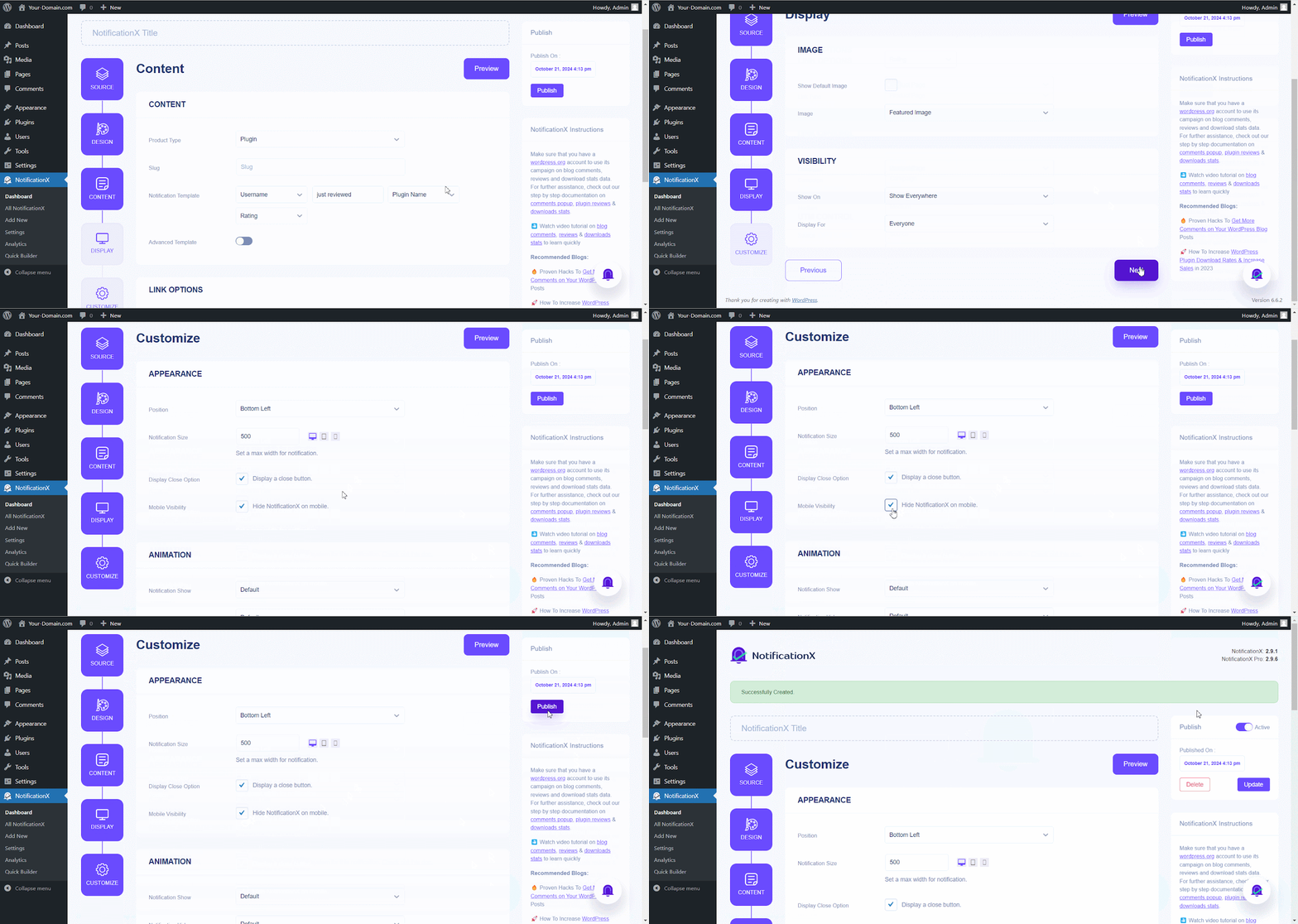
Follow this documentation to style your notifications using ‘Erweitertes Design’. Once you’re done, click ‘Veröffentlichen'.
Endergebnis #
Following these steps, you can effectively configure mobile responsive themes in NotificationX to ensure your notifications are visually appealing and mobile device-friendly. This enhances user experience and contributes to higher engagement and conversions.

If you have any questions or need further help, please Kontaktieren Sie unser Support-Team. We’re just one click away.
 English
 Arabic
 Indonesian
 Spanish
 Portuguese
 German
 Dutch
 Russian
 Hindi
 French
 Japanese
 Chinese
 Vietnamese
 Malay