
NotificationX प्रो ए के साथ आता है ‘क्रॉस डोमेन नोटिस' एक वेबसाइट से दूसरी वर्डप्रेस या अन्य प्रकार की वेबसाइट पर आपके सिंगल, मल्टीपल, या सभी NotificationX लाइव अलर्ट दिखाने की सुविधा। आपको बस अपनी वर्तमान वेबसाइट से क्रॉस डोमेन नोटिस कोड प्राप्त करना है और इस NotificationX प्लगइन को वहां स्थापित किए बिना इसे अपने पसंदीदा में शामिल करना है।
यह देखने के लिए दिशानिर्देश देखें कि कैसे WordPress या किसी अन्य वेबसाइट पर NotificationX क्रॉस डोमेन नोटिस कॉन्फ़िगर करें नीचे:
चरण 1: 'सभी NotificationX' डैशबोर्ड पर जाएं #
आप सुनिश्चित करें कि आपके पास स्थापित और सक्रिय NotificationX प्रो लगाना आपकी वर्डप्रेस वेबसाइट पर। यदि आप इसे पहले ही कर चुके हैं, तो आप इस NotificationX क्रॉस डोमेन नोटिस को अन्य स्वामित्व वाली वेबसाइटों पर कॉन्फ़िगर करने के लिए तैयार हैं।
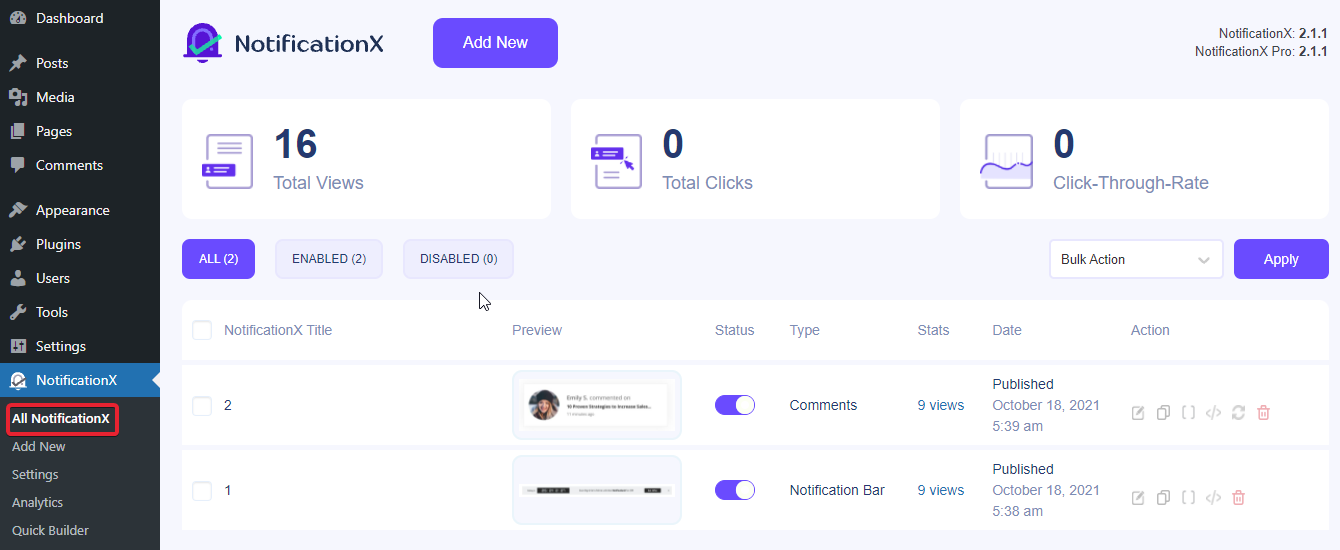
सबसे पहले, नेविगेट करें NotificationX → सभी NotificationX डैशबोर्ड। वहां से अपना पसंदीदा सिंगल, मल्टीपल या सभी लाइव नोटिफिकेशन पॉपअप चुनें।
ध्यान दें: यदि आपने अपनी वेबसाइट से NotificationX को नया स्थापित और सक्रिय किया है, तो आप इनमें से किसी एक का अनुसरण कर सकते हैं विस्तृत दस्तावेज़ीकरण एकाधिक लाइव अधिसूचना पॉपअप बनाने के लिए कदम।
चरण 2: NotificationX 'क्रॉस डोमेन नोटिस' प्राप्त करें #
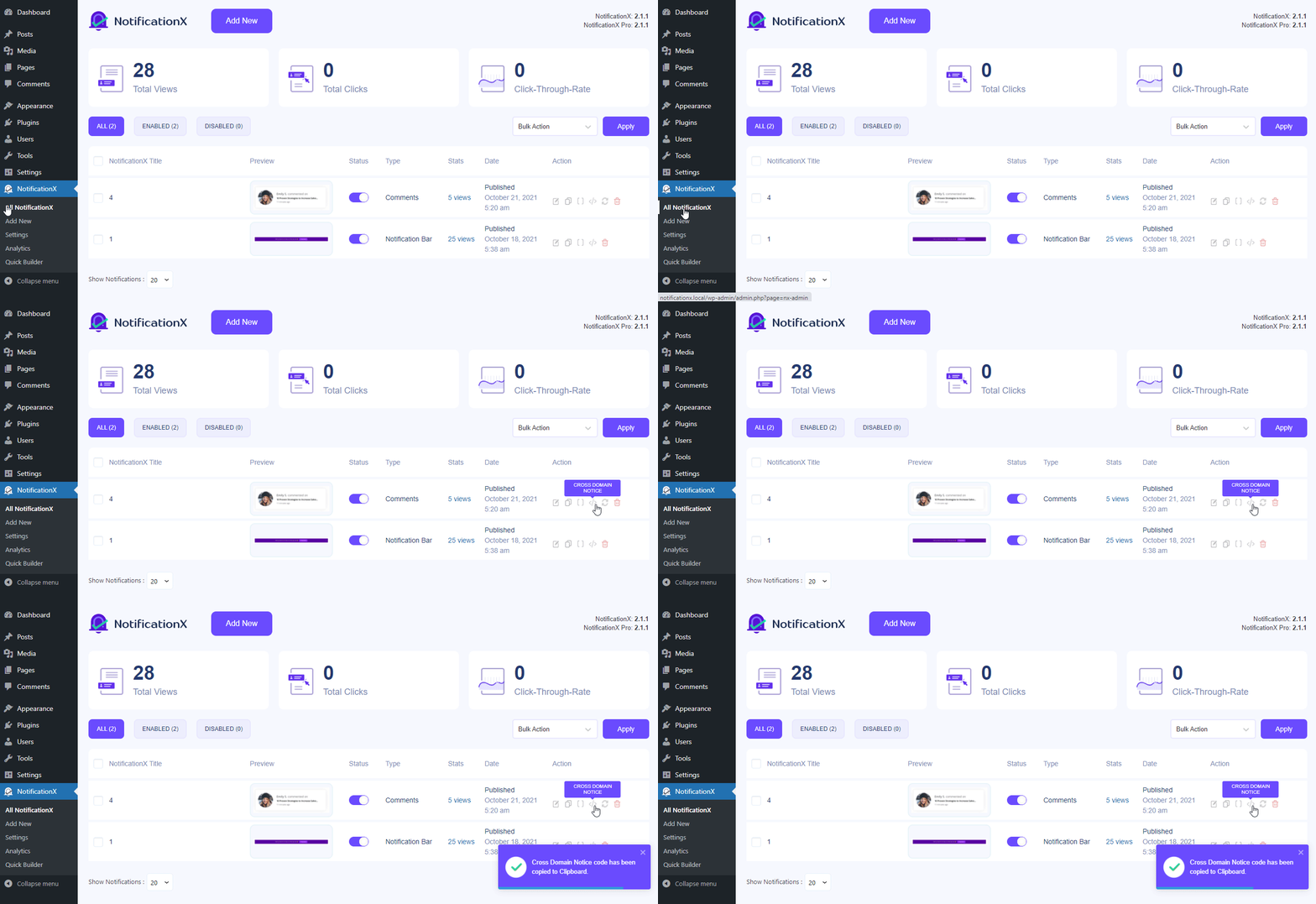
बाद में, दाएँ क्लिक करें अपने पसंदीदा एकल अधिसूचना पर और पर क्लिक करें 'क्रॉस डोमेन नोटिस' कोड कॉपी करने का विकल्प।
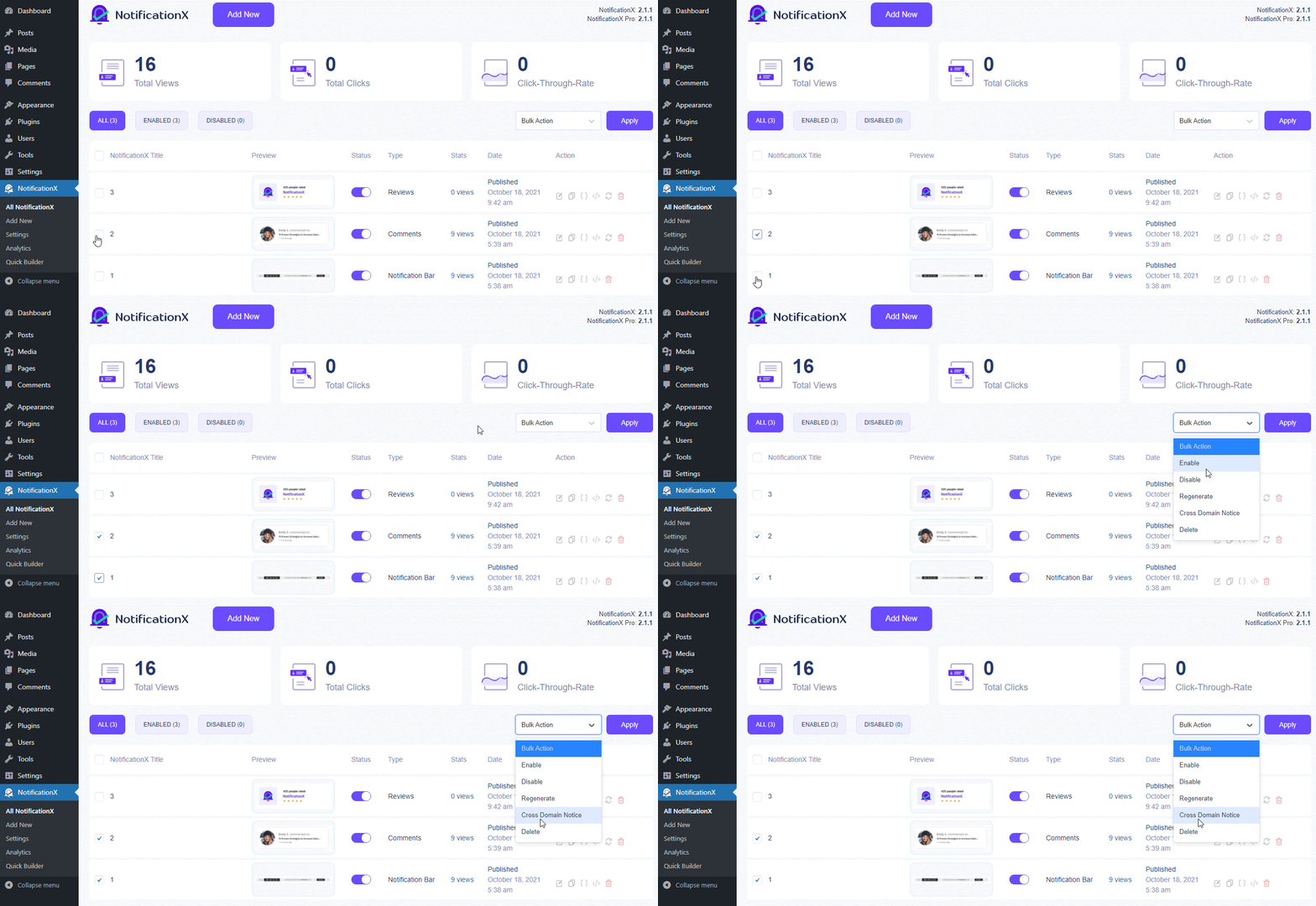
यदि आप चाहते हैं कई सूचनाएं दिखाएं अन्य वेबसाइटों पर, आप इसे आसानी से चेकबॉक्स का चयन करके भी कर सकते हैं। और 'चुनना'क्रॉस डोमेन नोटिस' विकल्प वहाँ से ड्रॉप डाउन मेनू वह शीर्ष के ठीक विपरीत है 'लागू करना' ऊपर बटन।
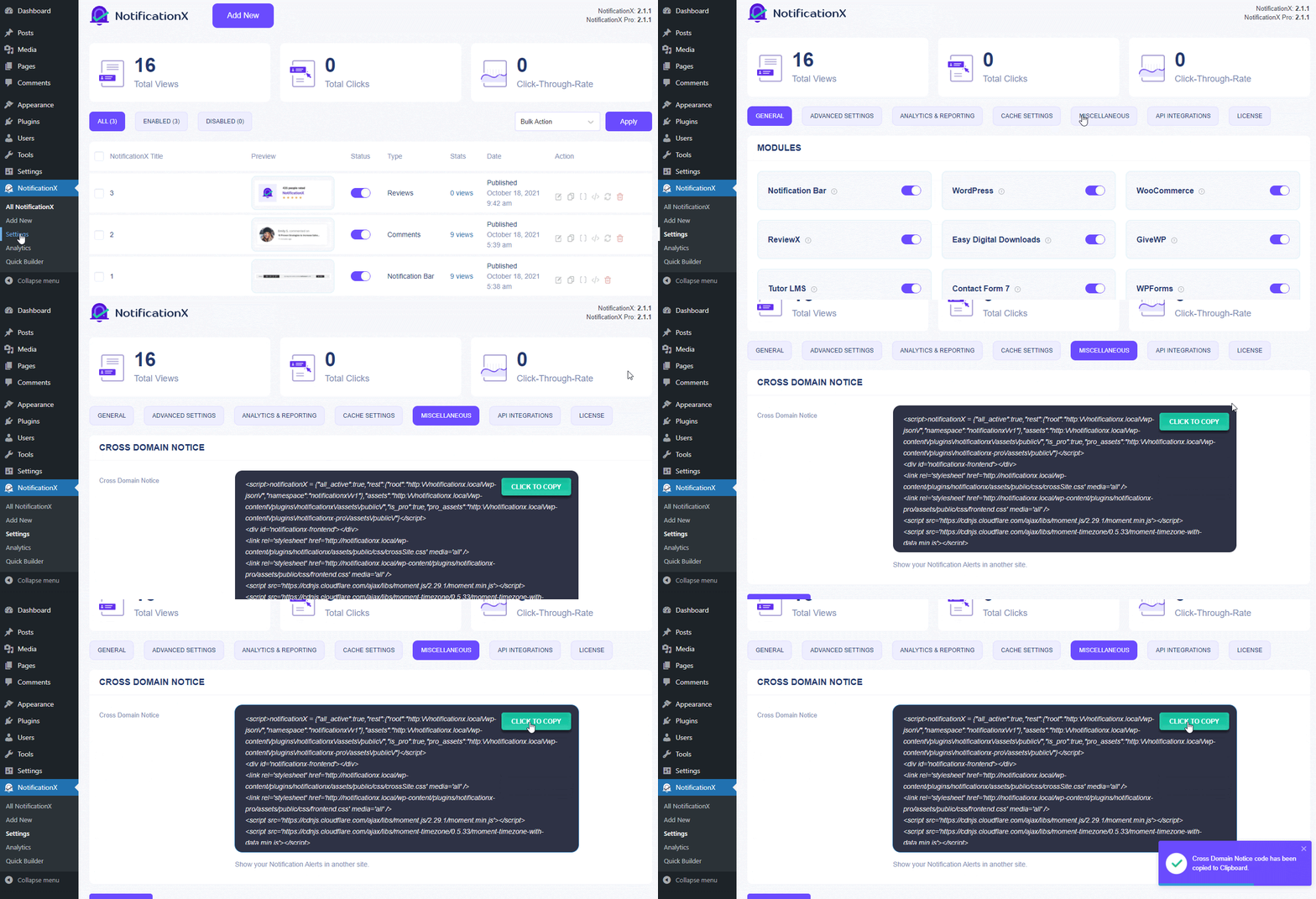
इसके अलावा, यदि आप दिखाना चाहते हैं आपके सभी वर्तमान NotificationX दूसरों के लिए कॉन्फ़िगर की गई साइट सूचनाएं, नेविगेट करें NotificationX → सेटिंग्स. चुनें 'विविध' शीर्ष बार सेटिंग्स से विकल्प।
अगला, बस कोड कॉपी करें और आप इसे अपनी अन्य स्वामित्व वाली वेबसाइटों के चयनित पृष्ठों पर शामिल करने के लिए तैयार हैं।
चरण 3: वर्डप्रेस या अन्य वेबसाइटों पर क्रॉस डोमेन कोड जोड़ें #
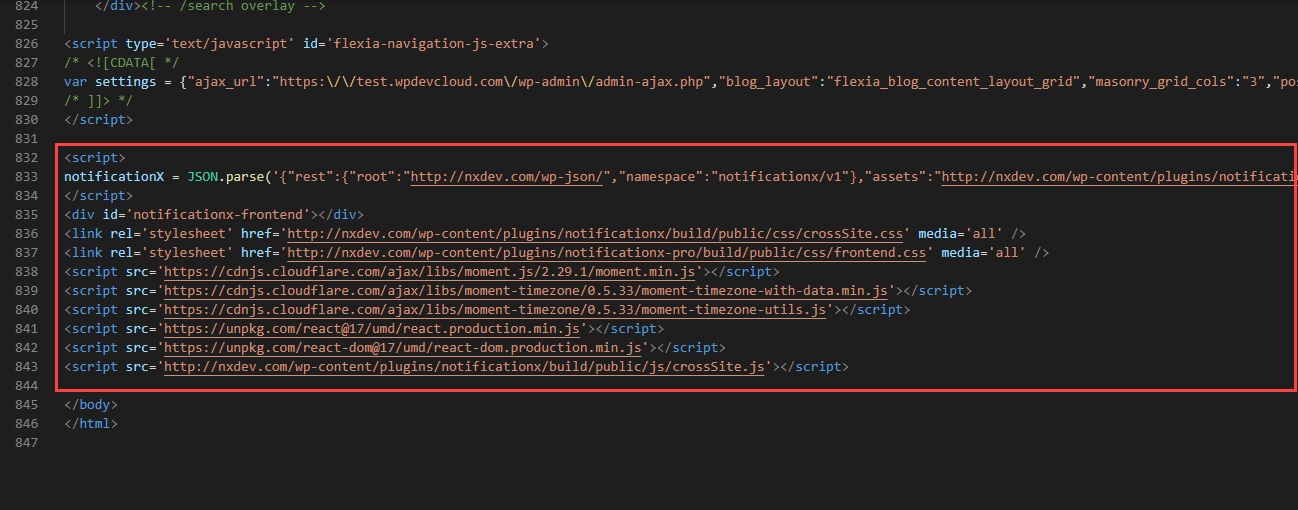
बाद में, NotificationX सूचनाएं हैं एकल, एकाधिक, या सभी सूचनाएं आपने जो कुछ भी चुना है वह आसानी से किसी भी वर्डप्रेस या अन्य वेबसाइट के वांछित पृष्ठों पर प्रदर्शित किया जा सकता है। अभी - अभी क्रॉस डोमेन नोटिस कोड पेस्ट करें अन्य वेबसाइटों के बैकएंड वांछित पृष्ठों पर।
वर्डप्रेस वेबसाइटें: #
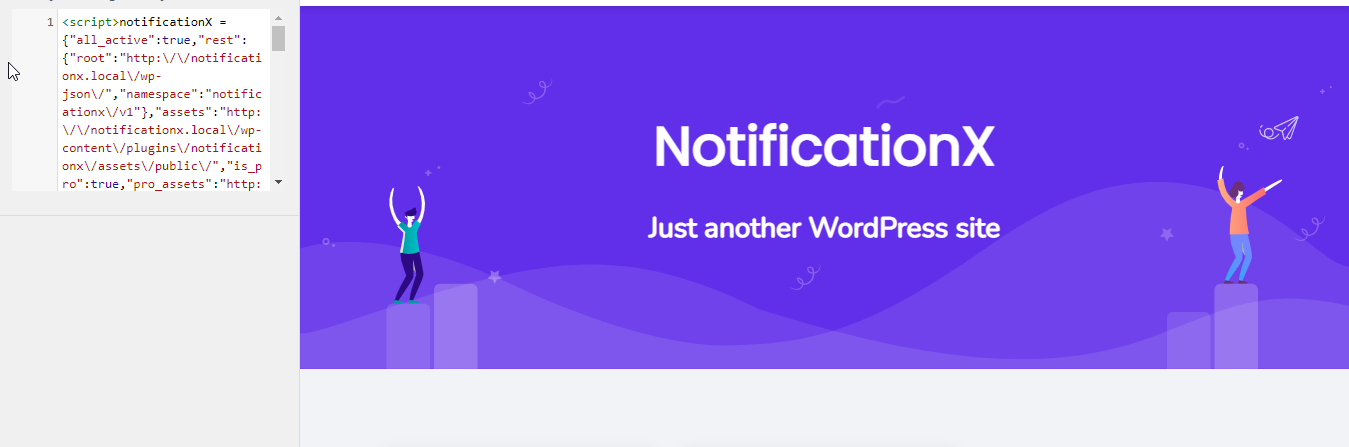
एक वर्डप्रेस वेबसाइट के लिए, आपको पहले यह जांचना होगा कि आपकी थीम का समर्थन करती है 'कस्टम कोड' जोड़ने की सुविधा है या नहीं। यदि हाँ, तो आप नीचे दी गई छवि की तरह ही इस क्रॉस डोमेन नोटिस कोड को वहां जोड़ सकते हैं।
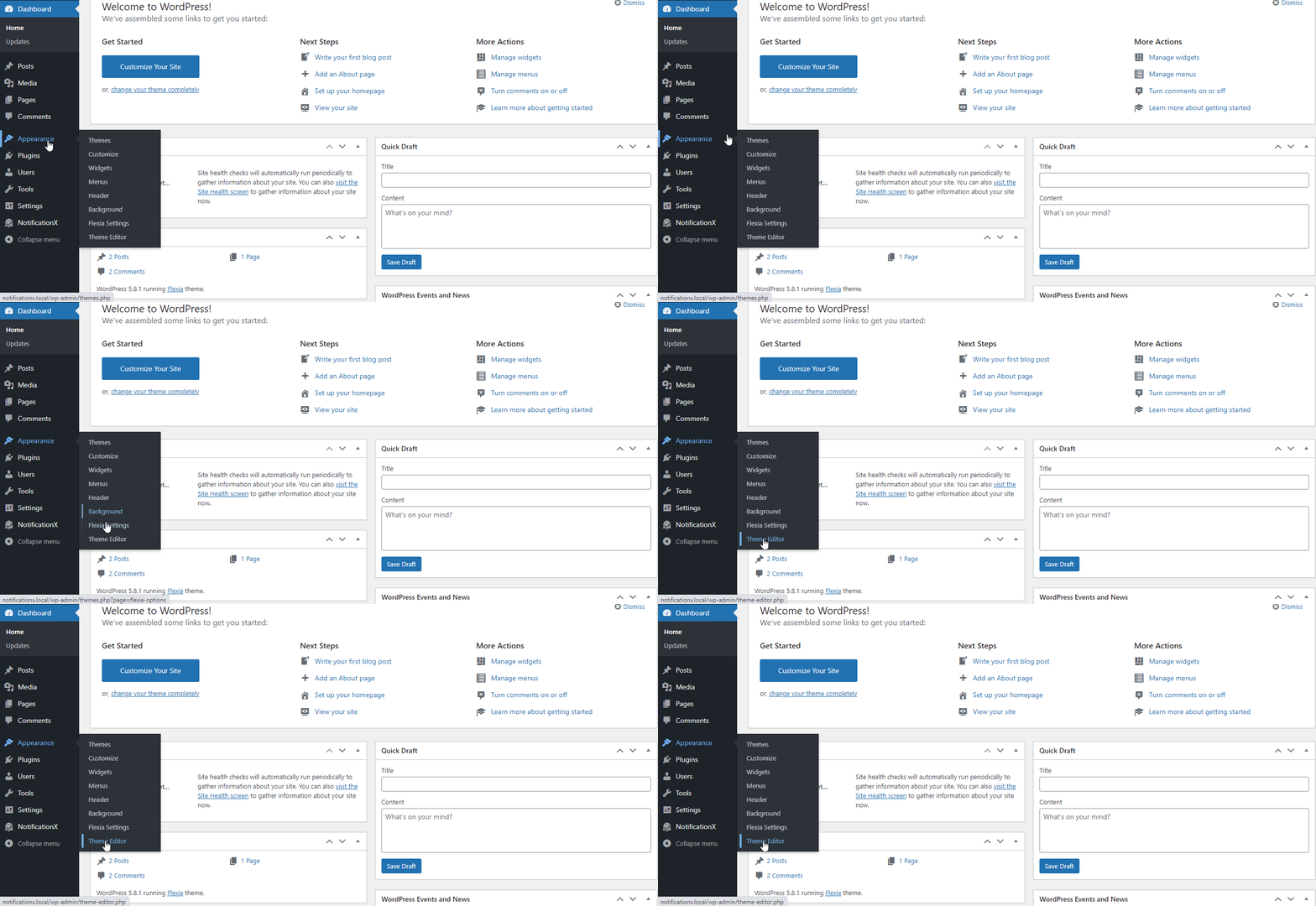
यदि नहीं तो आप बना सकते हैं a 'बाल थीम' अपनी वर्डप्रेस साइट पर या इसे इसमें जोड़ सकते हैं सूरत →थीम संपादक अनुभाग.
इसके अलावा, इस तृतीय-पक्ष प्लगइन का उपयोग करें सरल कस्टम सीएसएस और जेएस या किसी अन्य को अपनी पसंद के अनुसार जोड़ने के लिए NotificationX क्रॉस डोमेन नोटिस कोड. किसी भी तरह से, आप अपने WordPress साइट पर अपने लाइव NotificationX नोटिफिकेशन को प्रदर्शित करने में सक्षम होंगे।
अन्य प्रकार की वेबसाइटें: #
वर्डप्रेस वेबसाइट को छोड़कर, आप इस क्रॉस डोमेन नोटिस कोड को केवल अपनी वेबसाइट के वांछित पृष्ठों पर जोड़ सकते हैं और परिवर्तन कर सकते हैं।
ध्यान दें: आप ऐसा कर सकते हैं कोई सूचना दिखाएं किसी अन्य को एकल या एकाधिक स्वामित्व वाली वेबसाइट वांछित पृष्ठ।
अंतिम परिणाम #
इन उल्लिखित चरणों का पालन करके और थोड़ा और संशोधन करके, आप एकल, एकाधिक, या अपने सभी प्रदर्शित कर सकते हैं NotificationX सूचनाएं कॉन्फ़िगर करें किसी भी अन्य स्वामित्व वाली वेबसाइटों को स्थापित किए बिना NotificationX प्रो इस पर।
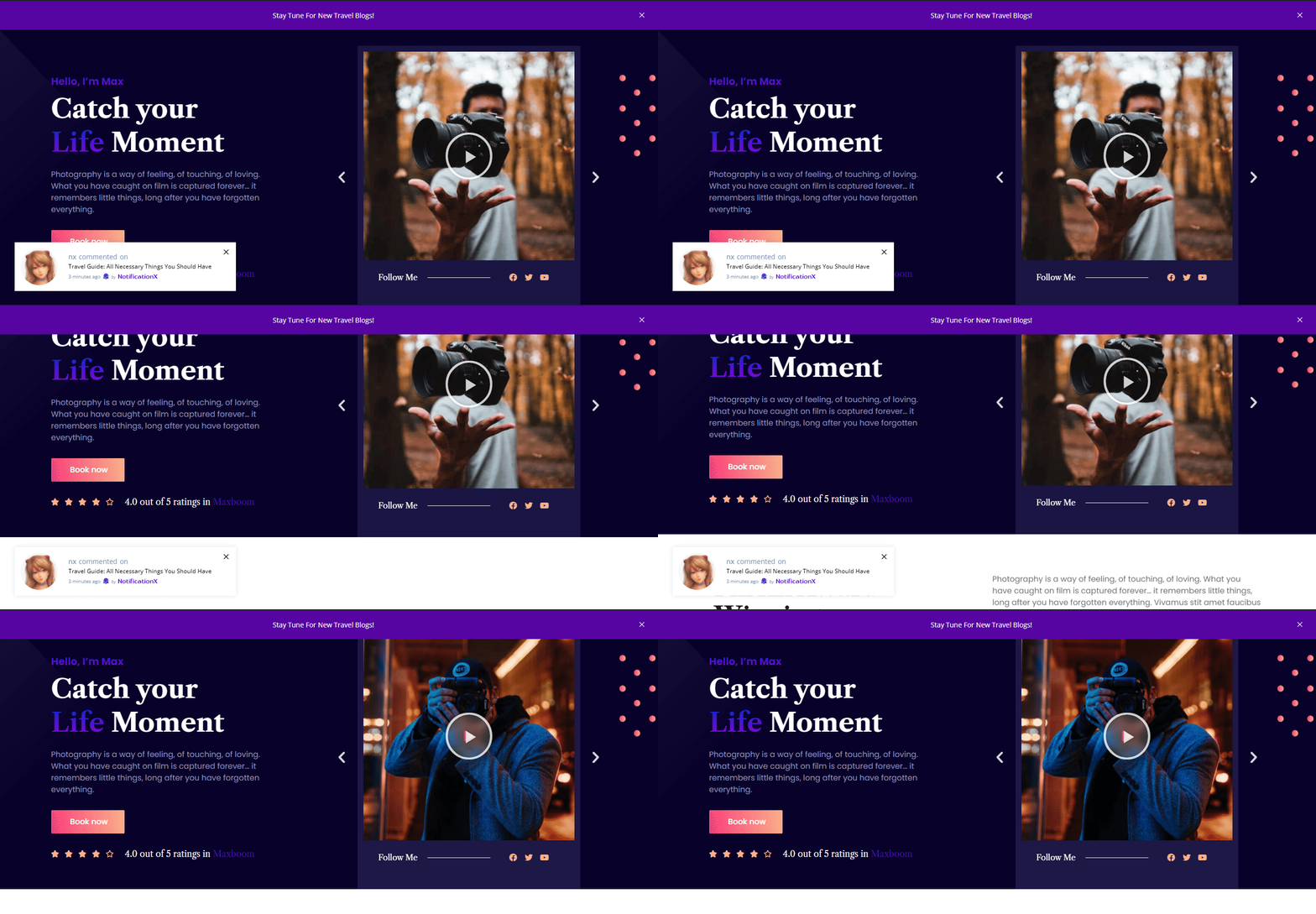
इतना ही! इस तरह आप आसानी से कॉन्फ़िगर कर सकते हैं NotificationX क्रॉस डोमेन नोटिस आपकी वर्तमान वेबसाइट पर अन्य स्वामित्व वाली वेबसाइटों पर कभी भी।
फँस गया हूँ? यदि आपको कोई समस्या आती है, तो आप हमारे . से संपर्क कर सकते हैं टीम का समर्थन.
 English
  Arabic
  Indonesian
  Spanish
  Portuguese
  German
  Dutch
Dutch  Russian
  Hindi
Hindi  French
  Japanese
  Chinese
  Vietnamese
  Malay
Malay