
You have got a sale running. A limited-time offer. An important announcement that every visitor needs to see. The fastest, least intrusive way to get it in front of them? A notificatie balk sitting right at the top (or bottom) of your site.
But not all WordPress notification bar plugins are built the same. Some hand you a basic text strip with a button and call it a day. Others give you real design control, smart targeting, countdown timers, built-in analytics and the tools to actually drive conversions, not just display a message.
In this post, we are comparing two popular options: WPFront Notification Bar en Kennisgeving X. We will put them side by side on the notification bar feature specifically, then (because NotificationX is a lot more than just a bar) we will walk you through everything else it brings to the table.
Let us get into it.
A Quick Look at Both Plugins
Before we compare them side by side, it is important to get a clear picture of each solution individually. This will make it easier to see where they truly stand.
WPFront Notification Bar
WPFront Notification Bar is a focused, single-purpose plugin that does exactly what its name says: it adds a notification bar to your WordPress site. It has been around for a long time, has 50,000+ active installations and is maintained by a solo developer. The plugin is clean and lightweight, with a settings page that gets you up and running quickly. If all you need is a simple, static banner, it works perfectly.
Kennisgeving X
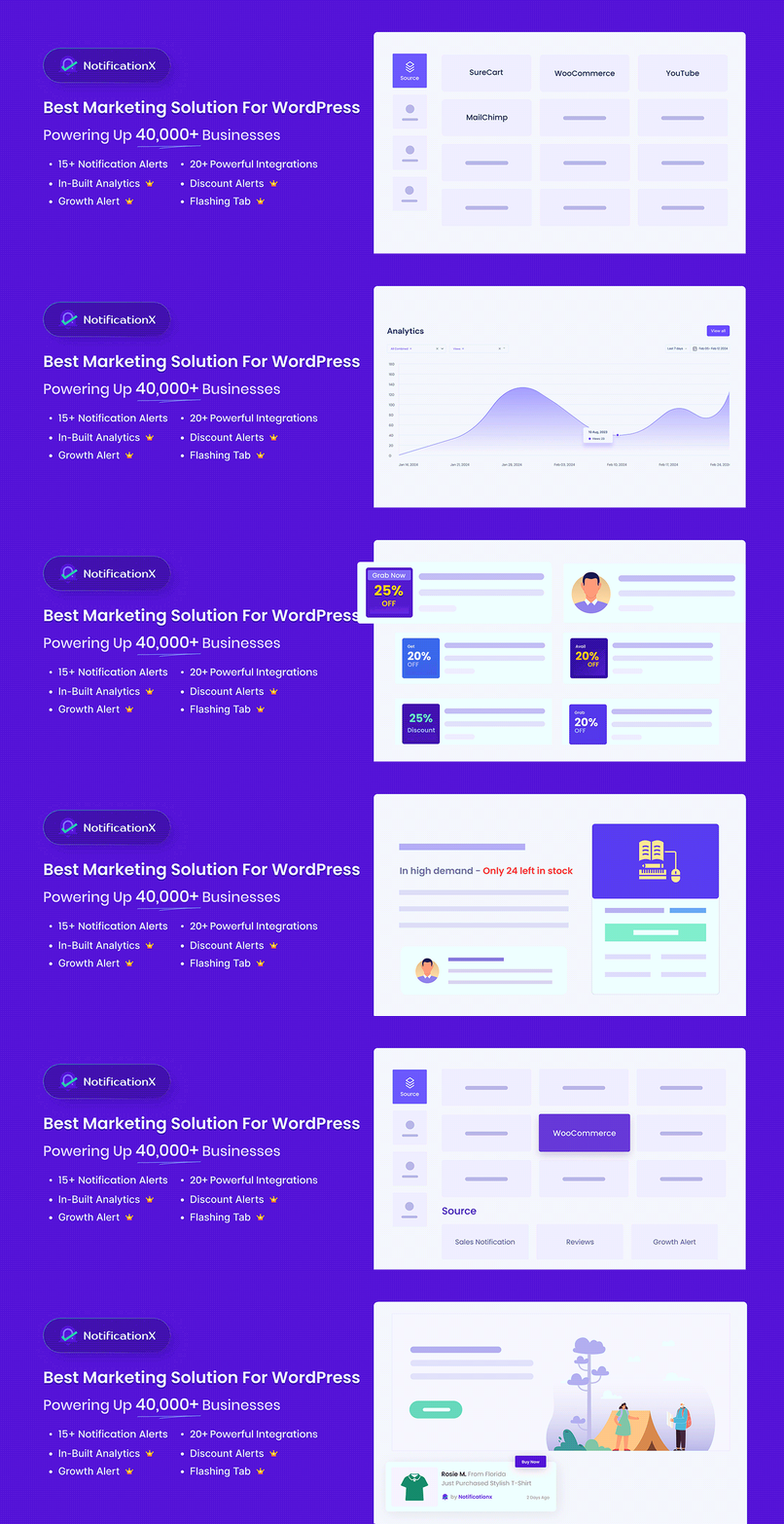
Kennisgeving X is a full-featured social proof and FOMO marketing plugin built by WPDeveloper, a team trusted by more than 6 million users across their product lineup. It includes a powerful, fully customizable notification bar as one of its core features, but that is just the beginning.
With 15+ notification types, 20+ integrations and 40+ responsive design themes, it is built to help WordPress site owners and online stores boost trust, create urgency, and convert more visitors. Trusted by 40,000+ businesses, it holds a 4.8-star rating on WordPress.org.
Now, let us focus on the notification bar: the feature both plugins share.
Feature Comparison at a Glance: NotificationX vs WPFront Notification Bar
Let us have a quick feature comparison between NotificationX VS WPFront to understand the whole picture:
| Feature | Kennisgeving X | WPFront Notification Bar |
| Notification Bar with AI | ✅ | ❌ |
| Top/Bottom Position | ✅ | ✅ |
| Sticky Bar | ✅ | ✅ |
| Ready-made Templates | ✅ 40+ designs | ❌ |
| Full Color & Typography Control | ✅ | ✅ Basic only |
| Text Animation (Sliding/Static) | ✅ | ❌ |
| Countdown Timer | ✅ | ❌ |
| Altijdgroene timer | ✅ PRO | ❌ |
| Coupon Code in Bar | ✅ | ❌ |
| CTA Button | ✅ Full control | ✅ Basic |
| Page/Post Targeting | ✅ | ✅ |
| User Role Targeting | ✅ | ✅ |
| Location-Based Targeting | ✅ PRO | ❌ |
| Date Scheduling | ✅ | ✅ |
| Recurring Schedules | ✅ PRO | ❌ |
| Entrance Animations | ✅ Multiple | ❌ |
| Mobile Responsive Design | ✅ Device-wise preview | ✅ Hide only |
| Built-in Analytics (CTR, Views, Clicks) | ✅ PRO | ❌ |
| Shortcode Support | ✅ | ✅ |
| GDPR Cookie Notice | ✅ Built-in | ❌ |
| WPML Compatible | ✅ Full | ✅ Basic |
| WordPress.org Rating | ⭐ 4.8 / 5 | ⭐ 4.5 / 5 |
| Active Installations | 40,000+ | 50,000+ |
Notification Bar: Head-to-Head Comparison Between NotificationX & WPFront Notification Bar
When it comes to notification bars, choosing the right tool can make a significant impact on user engagement. Let us compare NotificationX and WPFront Notification Bar head-to-head to see which one fits your needs best.
1. Bar Position & Stickiness
WPFront Notification Bar lets you place the bar at either the top or bottom of the page. You can set it to be sticky (fixed at a position as users scroll), which is useful for keeping an offer visible throughout the browsing experience.
Kennisgeving X also supports top and bottom positioning with a sticky bar option. The difference is in how smoothly this integrates with the rest of your design. Notifications are built to sit cleanly on any WordPress theme and automatically adjust to avoid layout shifts, with recent improvements directly addressing CLS (Cumulative Layout Shift) for better Core Web Vitals scores.
2. Design & Customization
This is where things start to pull apart.
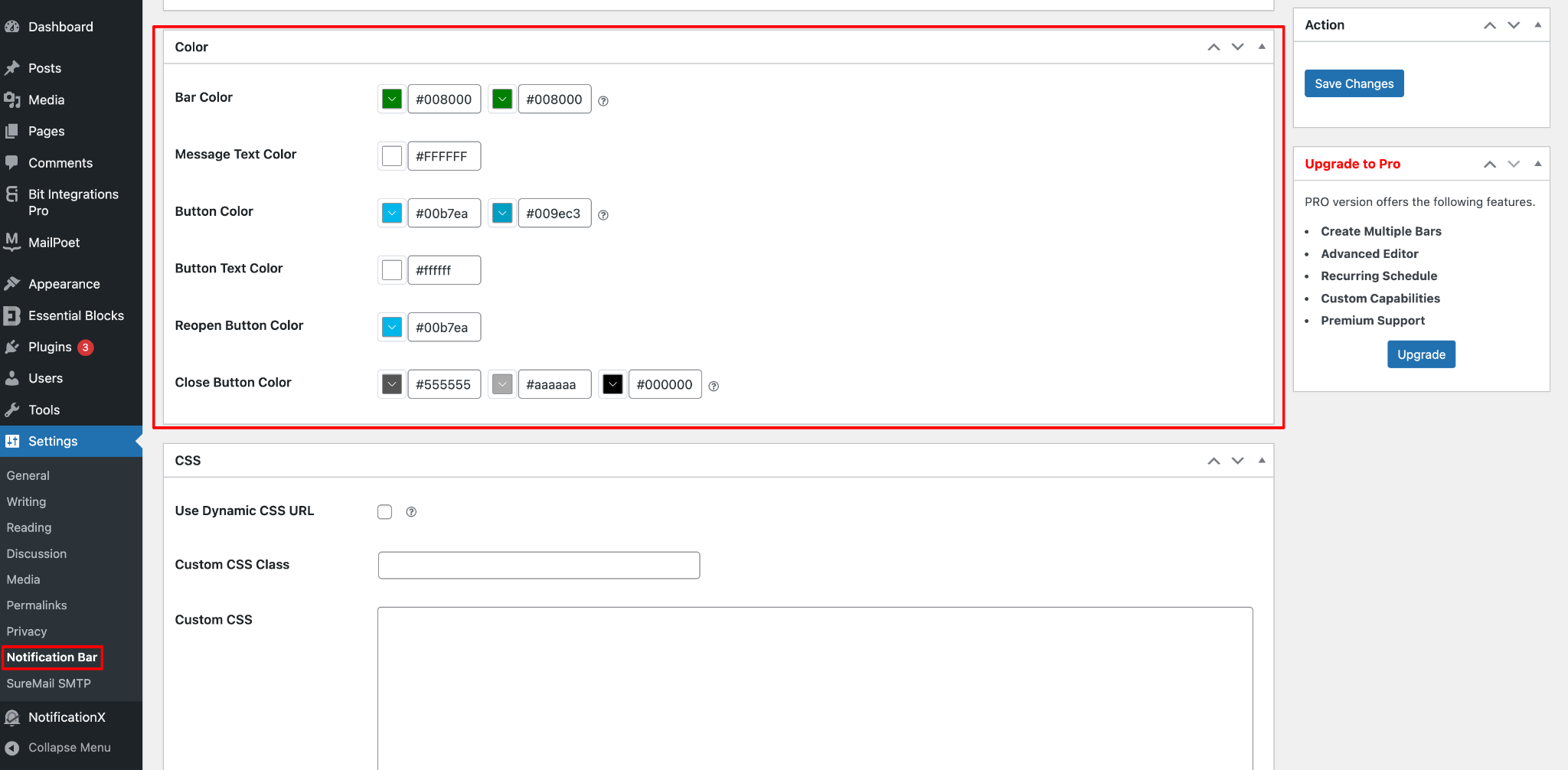
WPFront Notification Bar gives you manual color controls by which you can change the background, text and button colors. The bar layout is fixed: a message, an optional button and a close button. There are no template choices, no font options and no visual builder. You set it up through a settings page, which one reviewer noted: “feels like it’s from 2008.” It gets the job done, but what you see is essentially what you get.
Kennisgeving X approaches design from a completely different angle. It comes loaded with ready-to-use notification bar templates that you can go live with in minutes. If you would rather build from scratch, the bar integrates natively with both Elementor and Gutenberg, giving you pixel-perfect visual control without writing a line of code. You can customize background colors, text, buttons, countdown styles, close buttons and typography. Simply put, you can match the bar to your brand identity precisely.
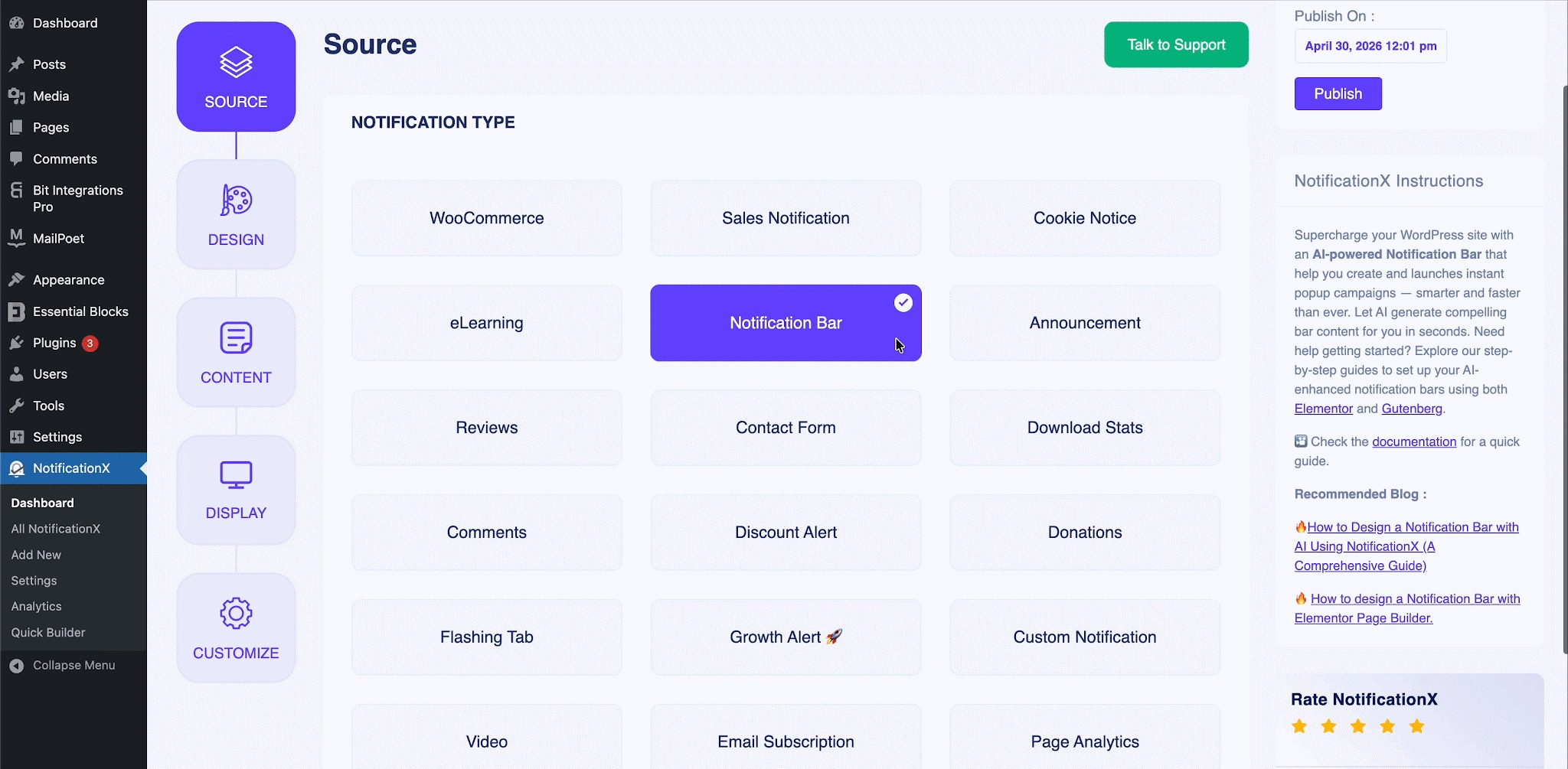
One standout design feature is text animation. NotificationX lets you use static or sliding text animations inside the bar, turning a plain announcement into an actual attention magnet. This kind of detail can meaningfully improve how many visitors actually notice and engage with what you are promoting.
Leer meer:
- How to Use the Notification Bar in NotificationX?
- Hoe een meldingsbalk te ontwerpen met Elementor en NotificationX
- How To Configure A Notification Bar In Gutenberg With NotificationX?
3. Countdown Timer
WPFront Notification Bar does not include a countdown timer. You can set an auto-close timer (how many seconds before the bar disappears), but there is no visual countdown clock that creates urgency for your visitors around a deal or offer deadline.
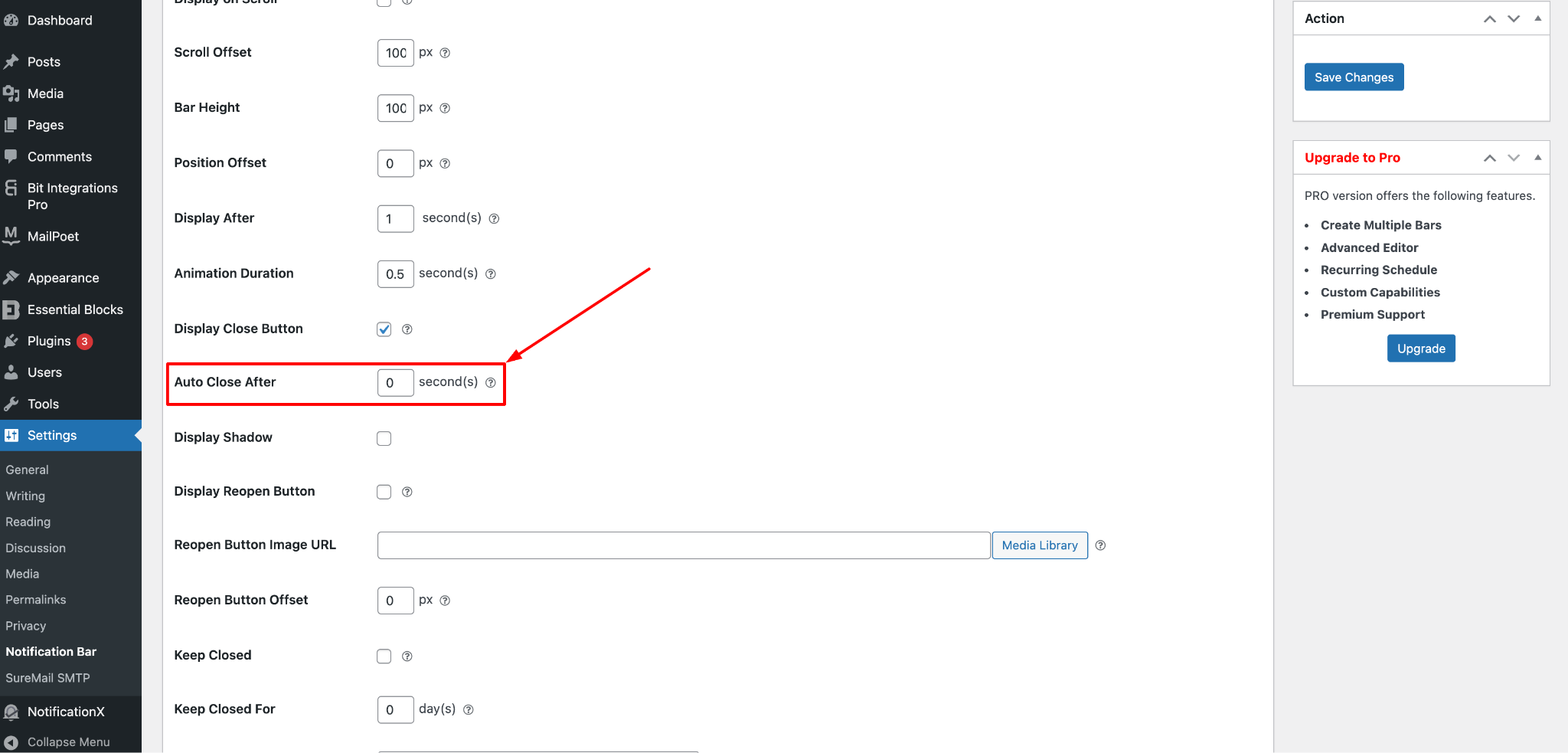
Kennisgeving X has a built-in countdown timer that you can embed directly inside the notification bar. This is one of the most effective conversion tools for time-sensitive promotions, showing visitors exactly how many hours and minutes remain before a sale ends. It triggers genuine urgency and pushes fence-sitters to act.
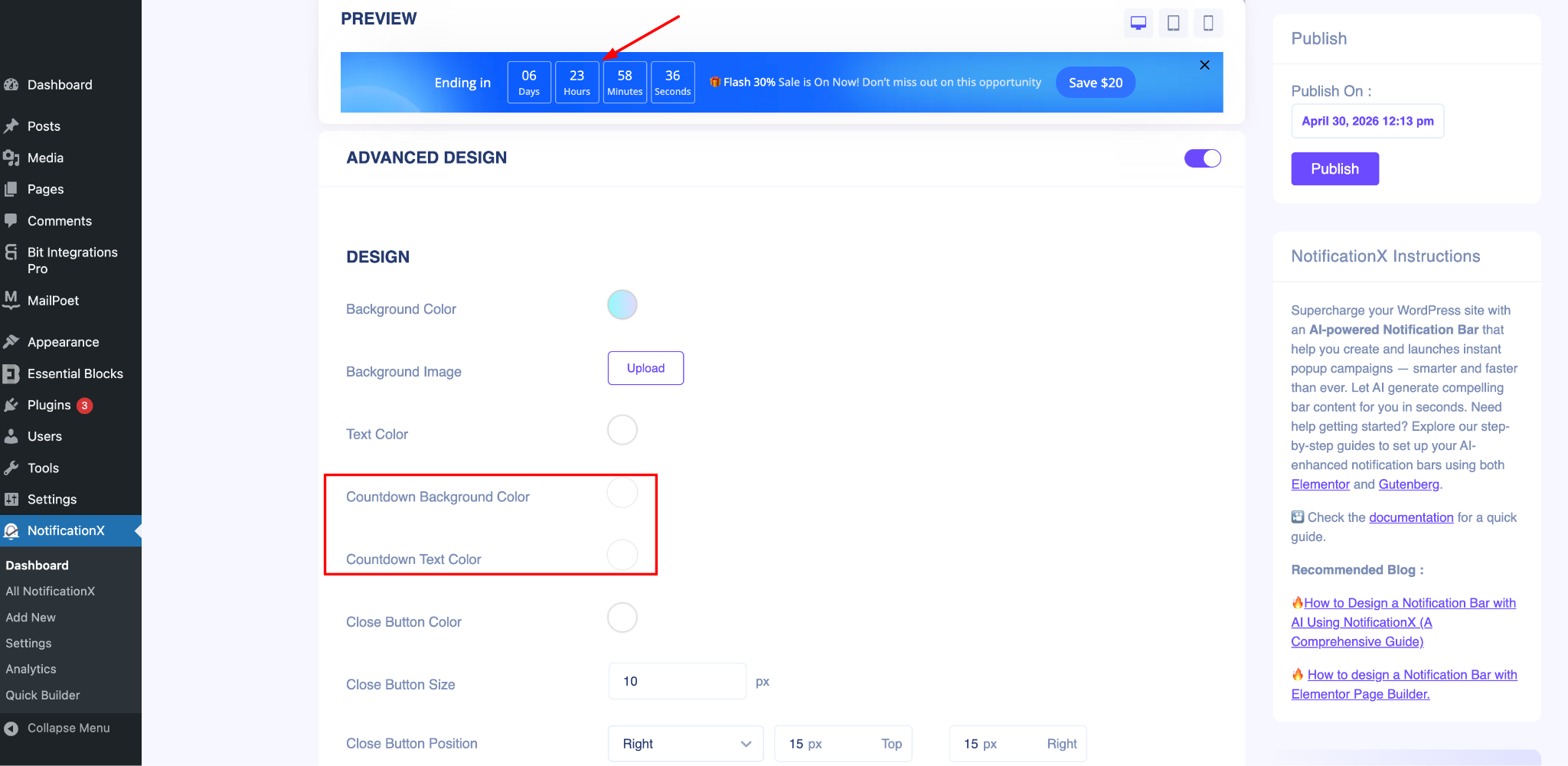
You can set this as a fixed deadline or use an evergreen timer (PRO) that resets for every new visitor, keeping the bar feeling fresh and relevant all the time.
Leer meer: How To Create Urgency With Countdown Timers To Boost Sales
4. Coupon Codes & Call-to-Action
WPFront Notification Bar supports a button in the bar that can open a URL or execute JavaScript. That is useful for linking out to a sales page, but there is no native coupon code functionality.
Kennisgeving X takes this further with dedicated coupon code support built directly into the notification bar. Visitors can see and copy a promo code without leaving the page, reducing friction on the path to purchase. You also get full control over the call-to-action button (customize the text, color, style and destination URL) to make it stand out and drive clicks.
5. Targeting & Display Rules
WPFront Notification Bar allows you to select which specific pages and posts the bar appears on, filter by user role and show or hide the bar on small/mobile devices. It also supports start and end dates for scheduling. These are the essentials and they work well.
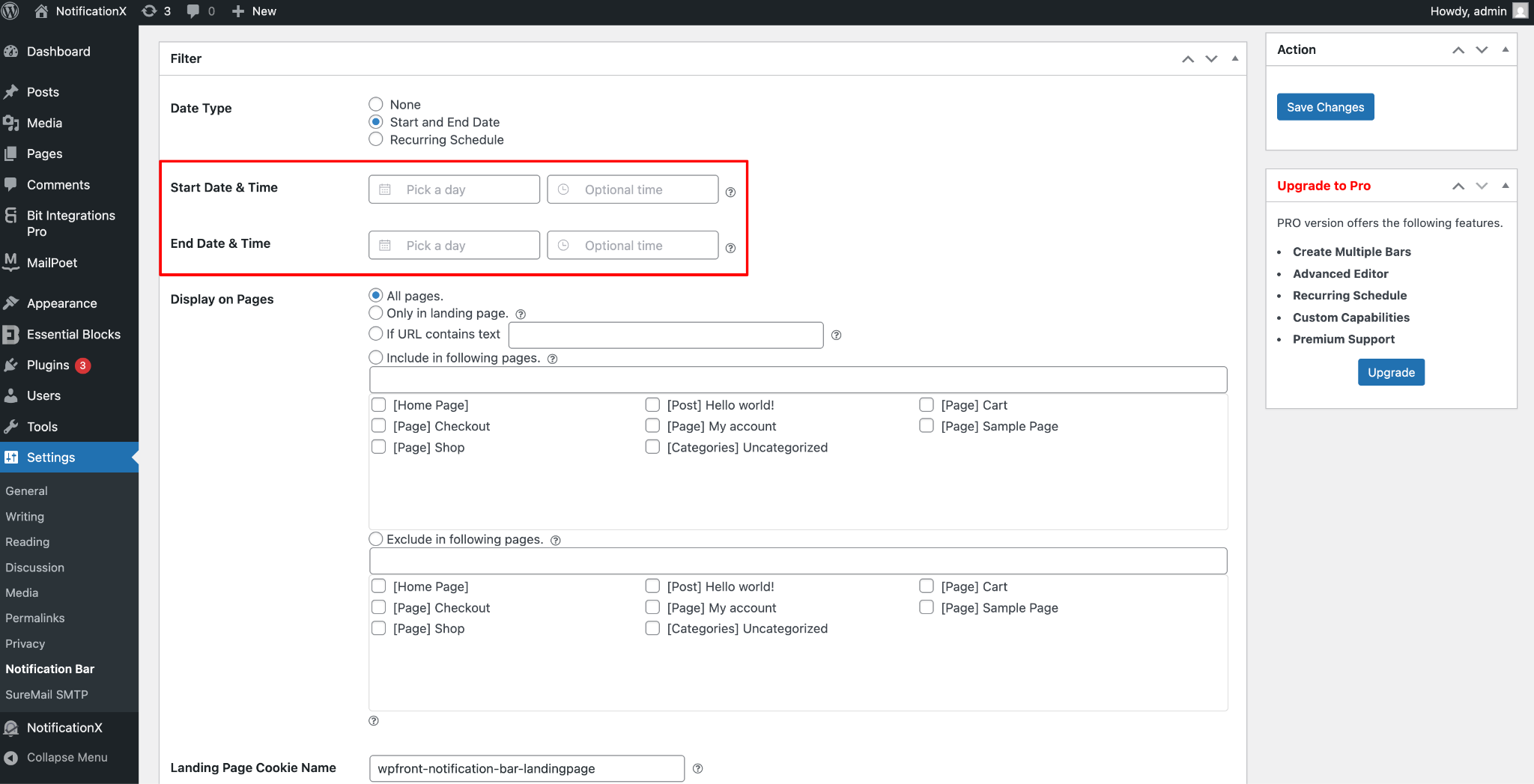
Kennisgeving X covers the same ground and goes further. You get granular control over which pages, posts or post types show the bar, with the ability to include or exclude specific content. User role targeting is included.
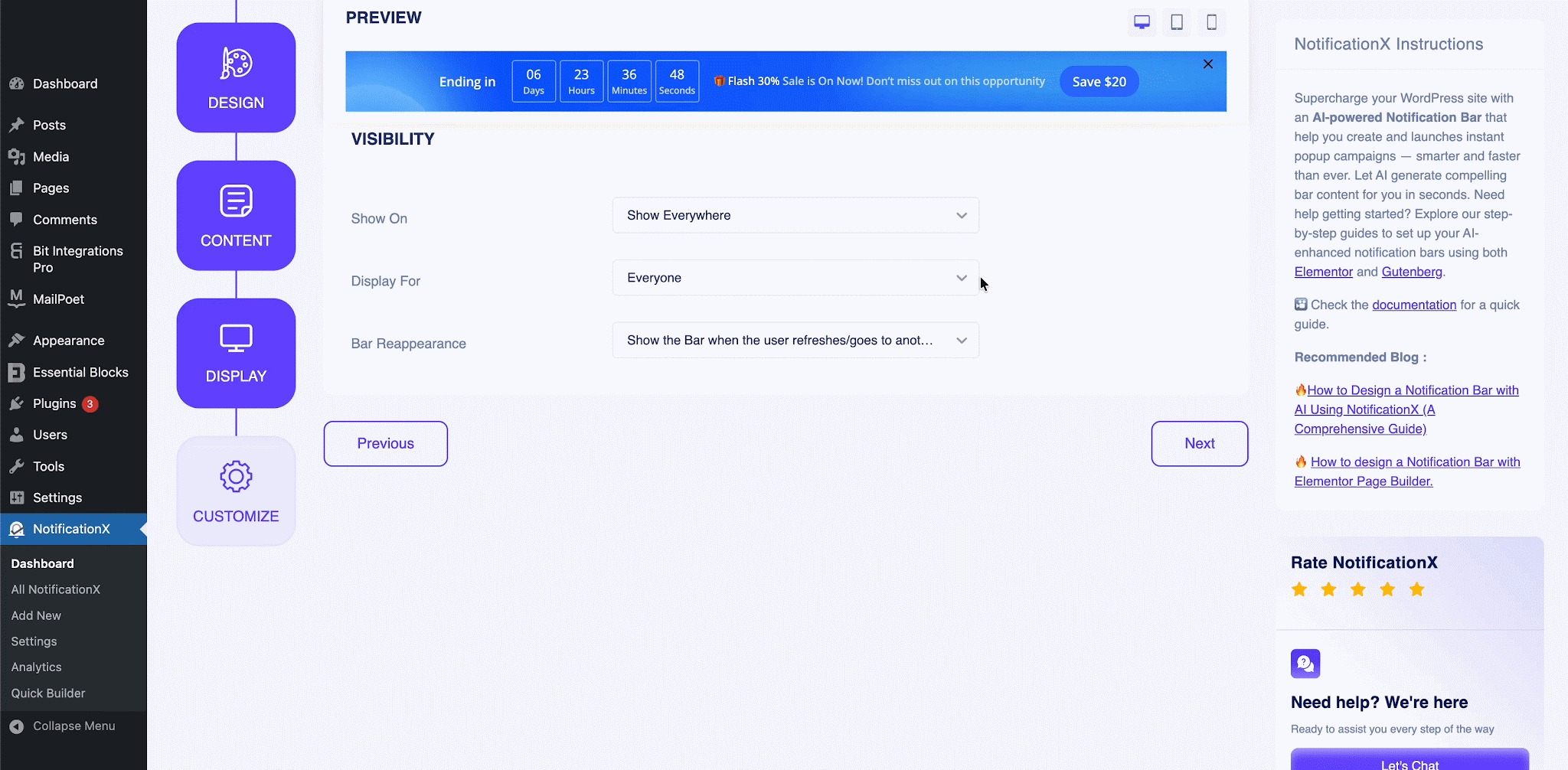
For PRO users, you also get advanced targeting by location that lets you customize your message based on where in the world your visitor is. This is particularly useful for region-specific sales or localized promotions.
6. Animations
WPFront Notification Bar has no animation options. The bar appears according to your delay setting without any entrance effects.
Kennisgeving X gives you multiple animation styles for how the bar enters the page. Choosing the right animation can match the energy of your campaign and help the bar catch a visitor’s eye right when it appears, rather than going unnoticed.
7. Mobile Responsiveness
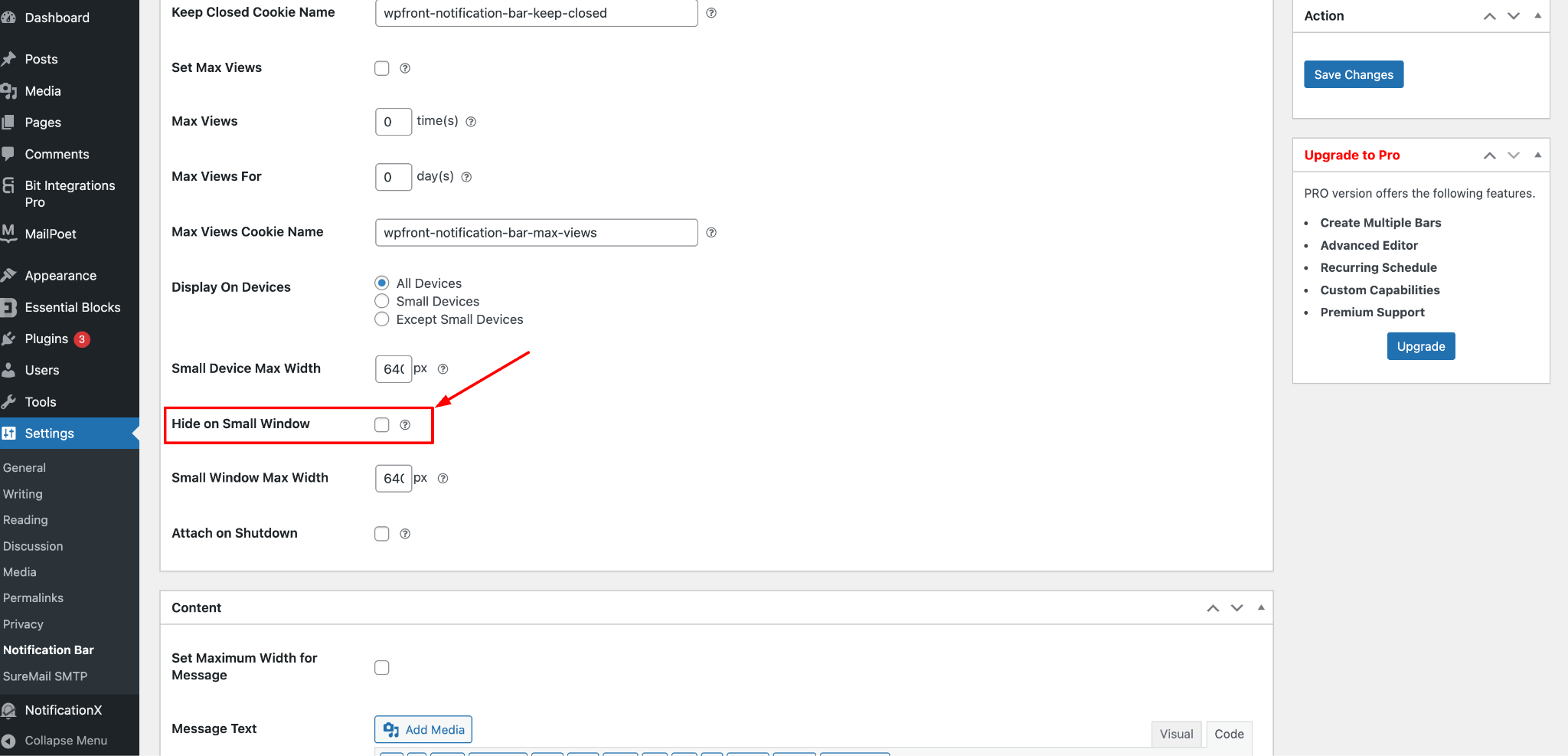
WPFront Notification Bar includes a “hide on small window” toggle, which lets you suppress the bar on mobile screens entirely if you prefer.
Kennisgeving X takes a more sophisticated approach. Rather than just hiding the bar on mobile, it provides separate responsive design settings, including device-wise preview so you can see exactly how the bar looks on desktop, tablet, and mobile before publishing.
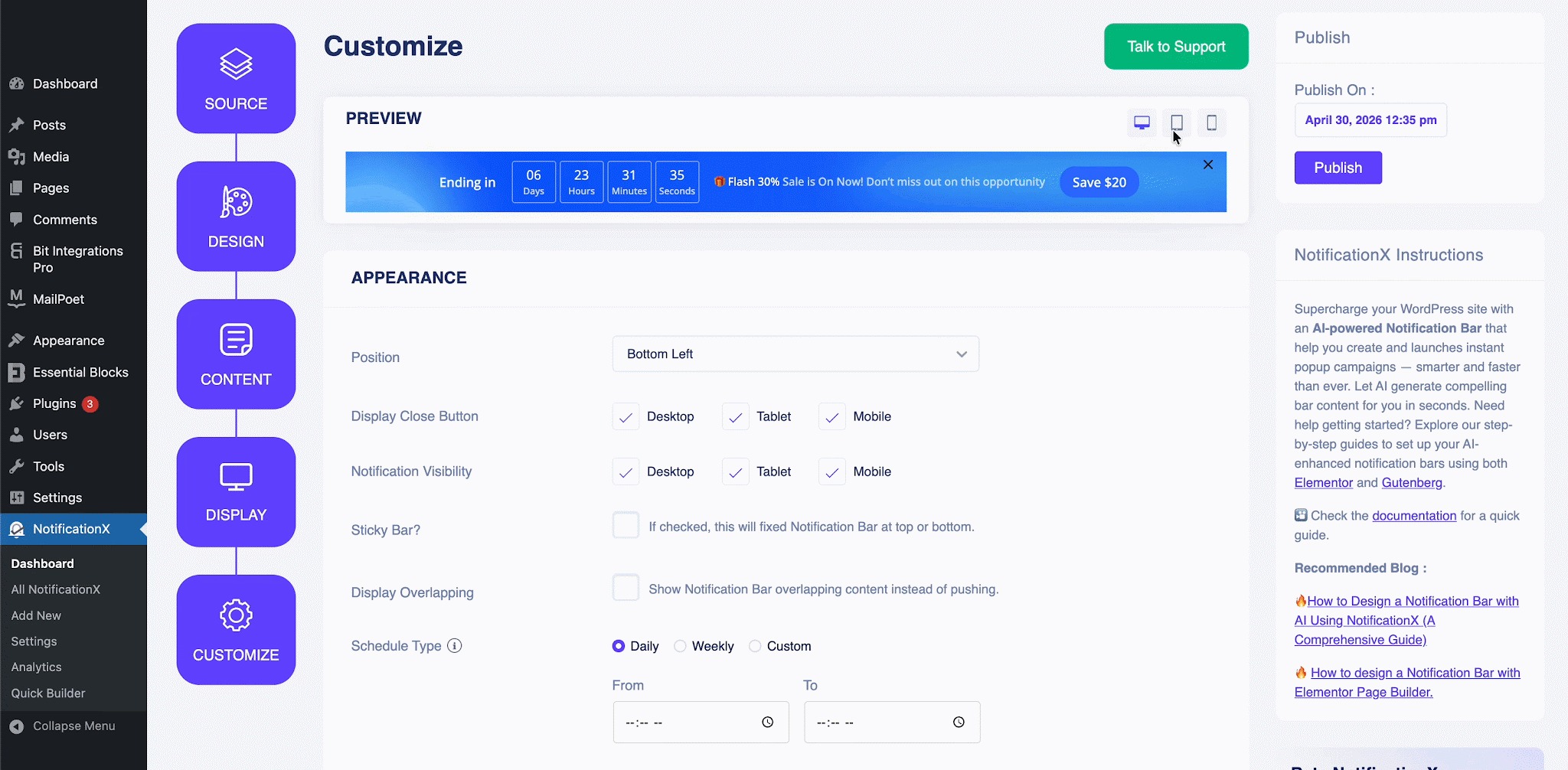
You can also control close button visibility per device independently, giving you full flexibility to optimize the experience across screen sizes.
8. Analytics & Performance Tracking
WPFront Notification Bar has no built-in analytics. There is no way to know how many visitors saw your bar, how many clicked it, or whether your promotion is actually performing. You would need to rely entirely on external tools like Google Analytics, set up manually.
Kennisgeving X includes a built-in analytics dashboard (PRO). You can track total views, total clicks and click-through rate for any notification bar campaign. It gives you real data to know what is working and what to optimize.
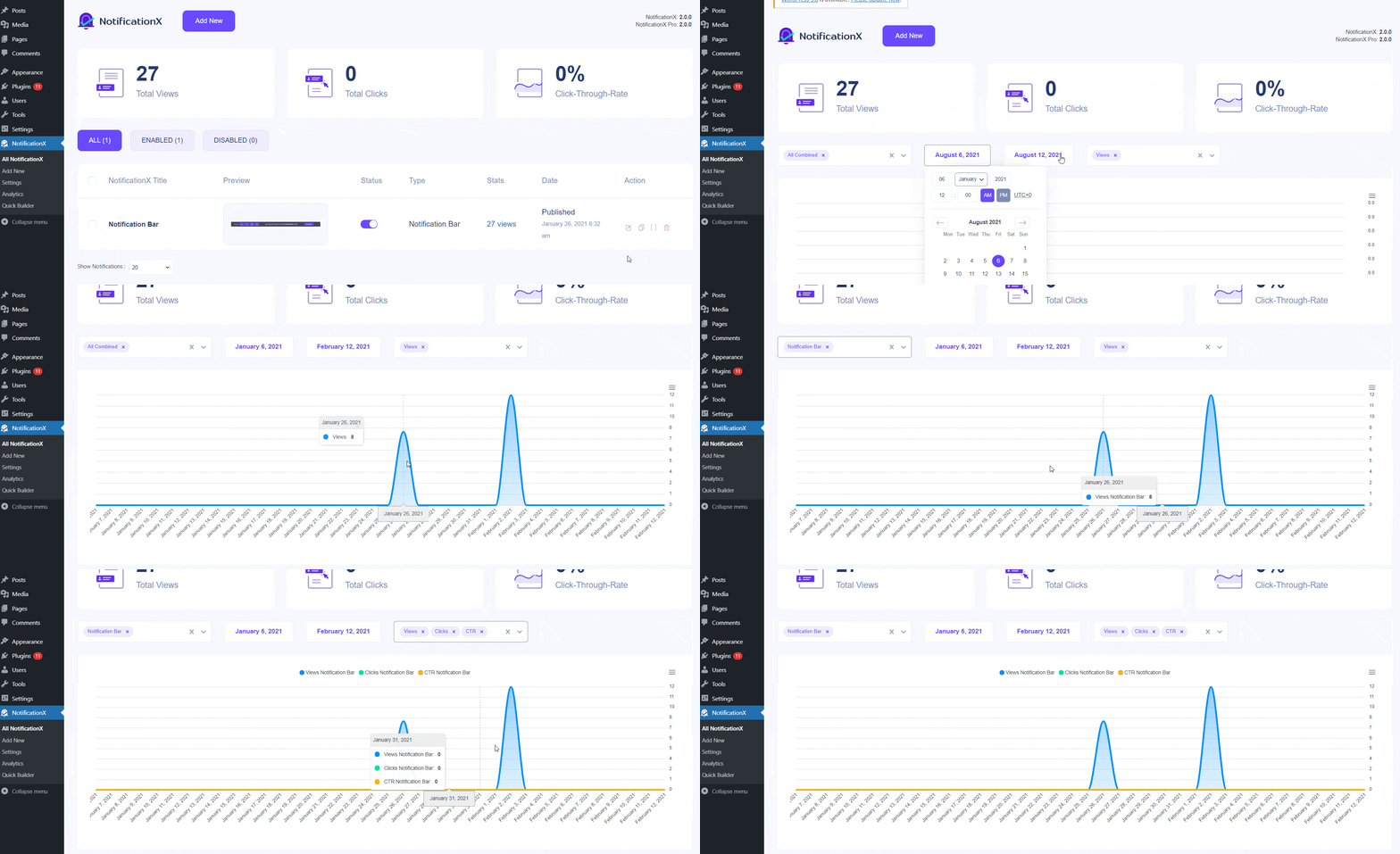
This is essential if you are running multiple promotions and want to make decisions based on actual performance rather than guesswork.
9. GDPR & Cookie Compliance
WPFront Notification Bar states it does not collect personal data, but it does not include any dedicated cookie compliance functionality.
Kennisgeving X includes a built-in GDPR Cookie Notice feature that you can configure right alongside your other bars. There’s even a Cookie Scanner (added in a recent update) to help you identify all cookies your site uses and build a compliant notice accordingly. If your audience includes EU visitors, this saves you from needing a separate plugin entirely.
10. WPML & Multilingual Support
WPFront Notification Bar has WPML compatibility, making it workable for multilingual sites.
Kennisgeving X has full WPML compatibility and the plugin interface itself is available in 15+ languages, including Bengali, French, German, Spanish, Arabic, Portuguese, Chinese, Japanese, and more, which makes it truly accessible for site owners around the world.
However, how do we forget about AI in 2026? NotificationX integrates AI in the Notification Bar.
Cherry On The Top: Create Notification Bar With AI
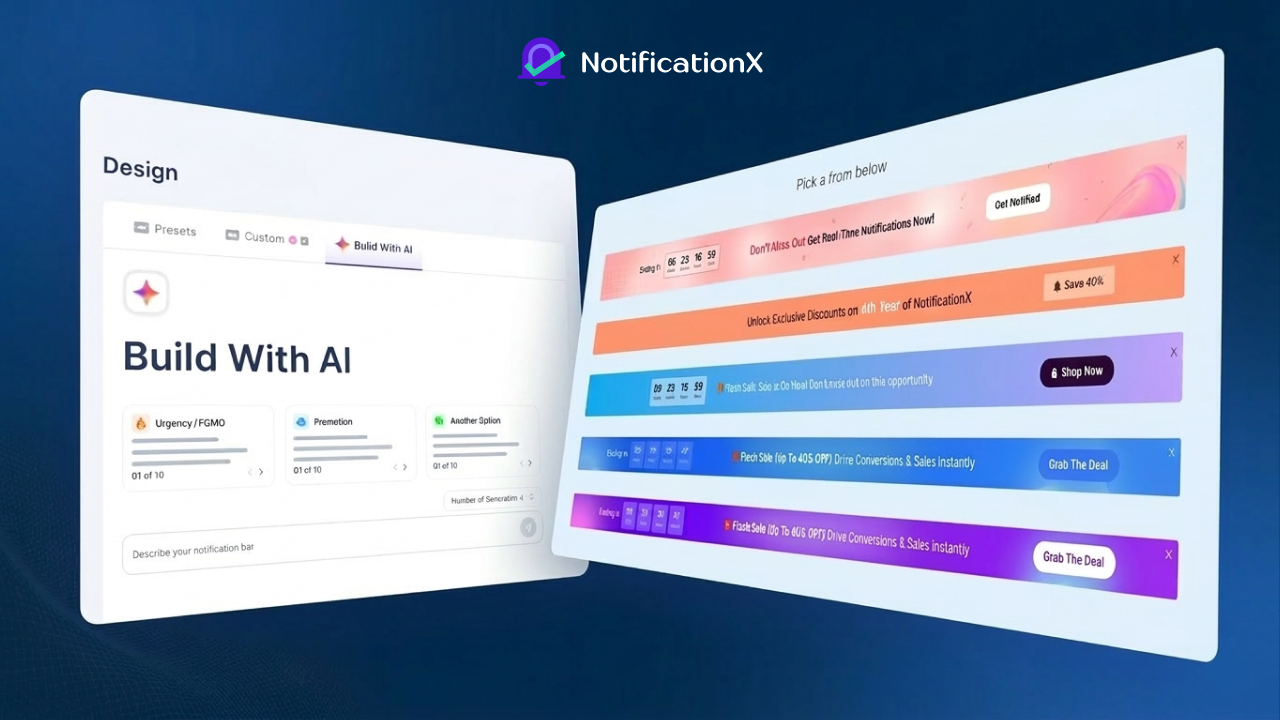
NotificationX PRO now lets you build notification bars with AI. Pick your campaign details from ready prompts, pick from AI-generated designs, and publish; all in under five minutes. Flash sales, seasonal promos, event announcements & many more. The AI handles the design so you can focus on converting.
So, if you are not planning to go with a pre-built preset while creating a notification bar for your store/website using NotificationX, you can get help from AI. How?
👉 Learn More: How to Design a Notification Bar with AI Using NotificationX (A Comprehensive Guide)
But Wait… NotificationX Gives You a Whole Lot More
So far, we have only compared the notification bar feature. And even there, NotificationX clearly comes out ahead. But here is the thing: if you choose NotificationX for its notification bar, you are also getting an entire marketing toolkit that WPFront simply does not offer. Let us walk through what else is in the box.
Real-Time Sales Notifications
This is where NotificationX truly earns its reputation. Beyond a static bar, it can display live purchase alerts (small popups that show visitors who else is buying right now).
For example, “Maria from London just purchased Product X” is incredibly effective at building trust and nudging hesitant shoppers. These pull directly from WooCommerce, Easy Digital Downloads, Freemius, Envato, FluentCart, SureCart and more in real time, with no manual work on your end.
👉 Leer meer: How Sales Notification Alerts Can Help Your Businesses In 2026
Discount Alerts
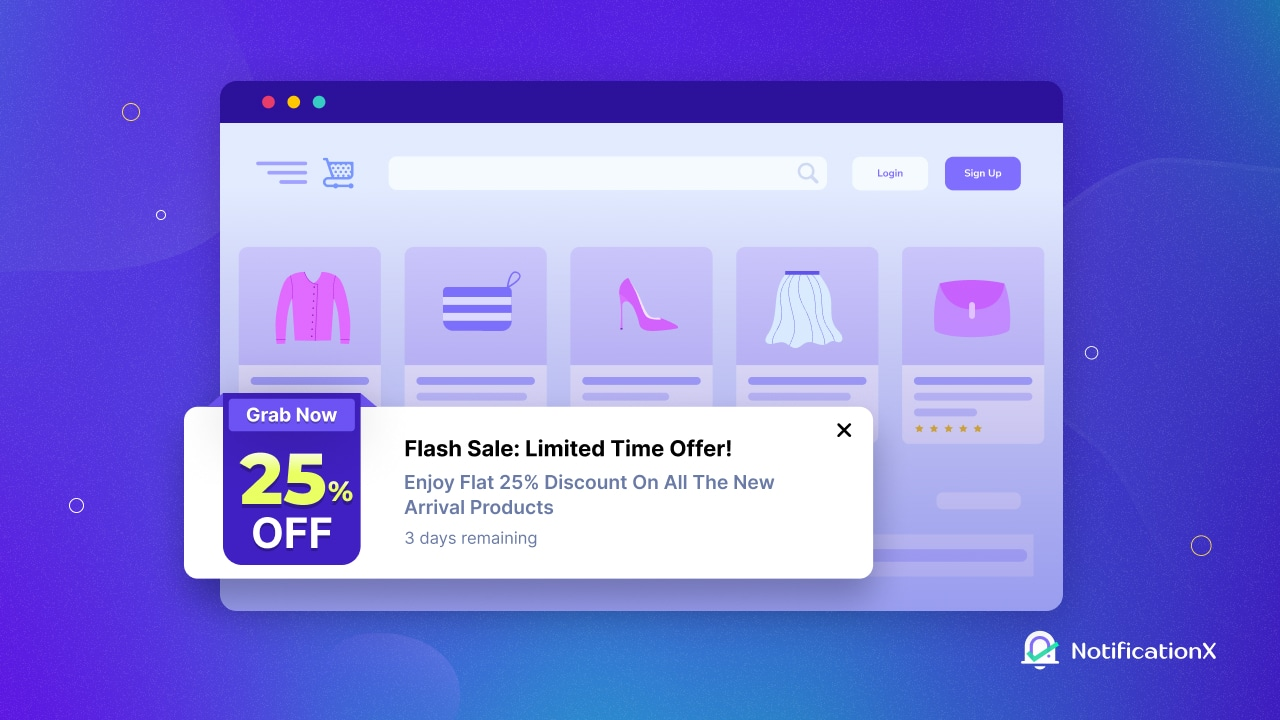
Separate from the notification bar, NotificationX has a dedicated Discount Alert notification type. These are visually distinct popups designed specifically for showcasing deals and promotions. You can announce ongoing campaigns with eye-catching designs, add urgency with FOMO messaging, and link directly to your campaign pages via customized CTA buttons. These sit alongside your bar without competing with it, so you can run both simultaneously.
👉 Learn More: Discount Alerts By NotificationX: How To Notify & Entice Customers About On-Sale Products
Groeiwaarschuwing
Growth Alert is a smart, inline notification type that lets you display sales counts, low-stock warnings, and enrollment milestones directly on your product or course pages. Imagine a visitor reading your WooCommerce product page and seeing “47 people bought this today” of “Only 3 left in stock.”
That is Growth Alert in action. It works with WooCommerce, EDD, Tutor LMS and LearnDash, and can be placed using shortcodes anywhere on your site.
👉 Learn More: How To Showcase Growth Alert Using NotificationX
Flashing Tab Notifications
When a visitor switches to another browser tab, NotificationX can make your site’s tab blink or change the title text to pull them back.
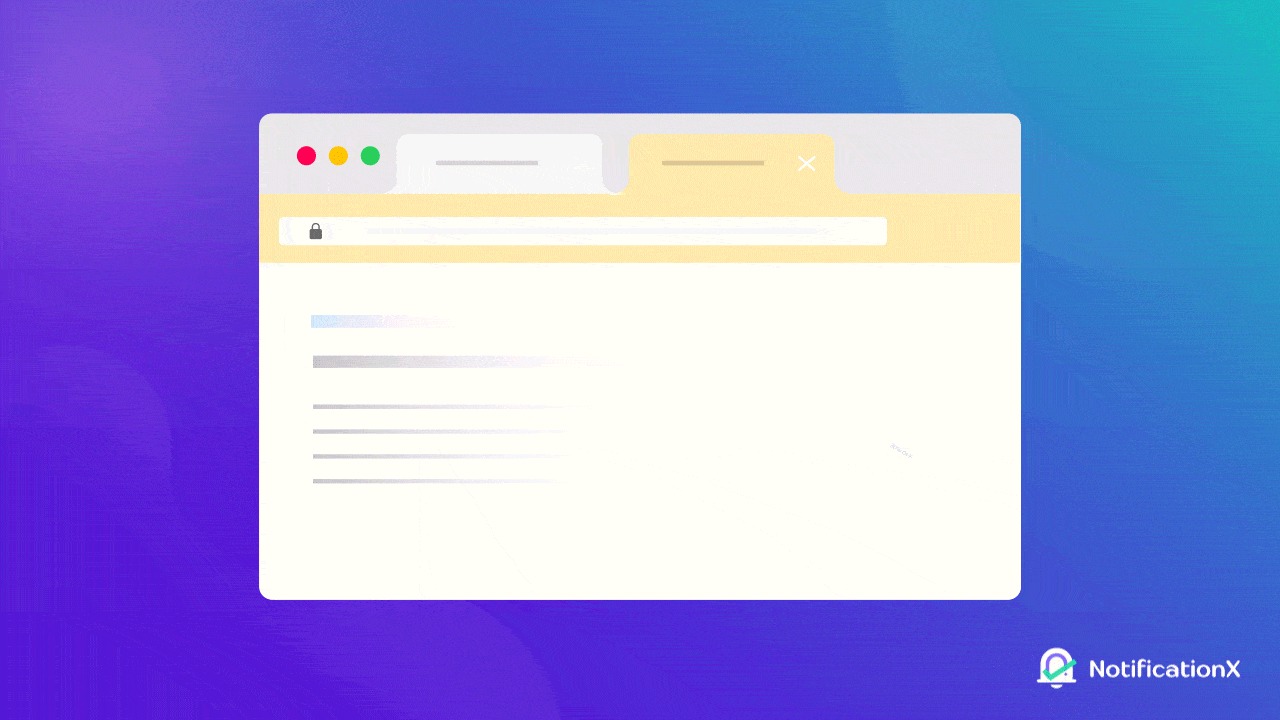
This is a quietly powerful retention tool that works even when someone has mentally moved on from your site and it is something no notification bar can do.
👉 Learn More: How To Attract Customers With Flashing Browser Tab Notifications Using NotificationX?
Built-in Analytics Dashboard
Every notification type (bar, popup, discount alert, or otherwise) feeds into NotificationX’s analytics dashboard. You get views, clicks, and CTR for every campaign, all in one place. This is the kind of performance visibility that lets you run smarter marketing over time.
👉 Learn More: Alles wat u moet weten over NotificationX Analytics: meet de ROI van een social proof-campagne
Pricing Comparison: NotificationX VS WPFront Notification Bar
WPFront Notification Bar is free on WordPress.org. The PRO version (available at wpfront.com) unlocks multiple bars, the rich text editor, recurring schedules and custom user capabilities. Exact current pricing requires visiting their site directly.
Kennisgeving X is also free on WordPress.org and the free version already includes the notification bar, WooCommerce sales notifications, contact form alerts, comment notifications, GDPR cookie notice and more, which is already more than WPFront’s paid tier covers.
For the full feature set:
- Individual (PRO): $39/year — 1 site, all PRO features
- Business (PRO): $149/year — unlimited sites, 1-year updates and support
- Lifetime Unlimited: $299 one-time — unlimited sites, lifetime updates
All plans come with a 14-day money-back guarantee, no questions asked.
So, Which One Should You Use?
If your only goal is to put a simple, static message bar on a single site and you have zero interest in conversion tracking, eCommerce integrations, or growing your marketing toolkit, WPFront Notification Bar will serve that narrow use case without fuss.
But if you are running promotions with any seriousness, whether that is a WooCommerce sale, a product launch, a limited-time offer, or a seasonal campaign, NotificationX is the clear choice.
Its notification bar alone is more capable than WPFront’s in nearly every dimension: better design tools, countdown timers, coupon codes, analytics, smarter targeting and mobile-responsive previews.
And when you factor in everything else NotificationX brings: sales alerts, discount popups, review notifications, flashing tabs, Growth Alerts and 20+ integrations, there is really no comparison.
With NotificationX, you are not just getting a notification bar. You are getting a complete promotional toolkit for your WordPress site.
Abonneer je op onze blog & join our Facebook-gemeenschap for more insights on social proof marketing, consumer psychology marketing, and conversion optimization for WordPress and WooCommerce sites.




 English
  Arabic
  Indonesian
  Spanish
  Portuguese
  German
  Dutch
Dutch  Russian
  Hindi
Hindi  French
  Japanese
  Chinese
  Vietnamese
  Malay
Malay