
Walk past two restaurants on a busy street. One is packed, with a line out the door. The other is empty, even though the menu looks similar. You pick the busy one without thinking. That instinct is the wisdom of the crowd and online stores can engineer the same effect on every product page they own.
Most WordPress sites have a quiet problem. They sell real products, get real customers and run real campaigns, but visitors can not see any of that momentum. The site feels empty even when the business is thriving. Without visible activity, every new visitor has to decide on their own whether to trust your store and most choose to wait or leave.
This guide breaks down the wisdom of the crowd as a conversion lever. You will see the psychology behind why showing activity boosts conversions, the numbers that prove it, the five types of activity worth showing and the WordPress setup that puts it all in place without coding.
What Is the Wisdom of the Crowd in Marketing?
The wisdom of the crowd is the idea that the collective opinions, experiences and judgments of a large group of people are often more accurate and reliable than the views of a small number of individuals. When many consumers share their feedback, ratings and experiences, their combined insights can reveal patterns and truths that might not be apparent from a single opinion.
The Origin of the Wisdom of the Crowd Concept
The phrase traces back to Francis Galton’s 1907 experiment, formally popularized by James Surowiecki in The Wisdom of Crowds (2004), who observed that consumers tend to follow the crowd’s trend when making decisions. The idea was later formalized by behavioral psychologists who showed that conformity is one of the strongest predictors of action under uncertainty.
How It Became a Conversion Lever in the Digital Age
In physical stores, социальное доказательство shows up naturally. You see other shoppers picking up items, lines at the checkout and busy aisles. Online stores have no equivalent until you build one. That is why activity notifications, viewer counts and recent purchase alerts became conversion tools. They translate the visible busyness of a great storefront into a digital signal that visitors can read instantly.
How it Differs from Other Forms of Social Proof
Research from The Good on social proof identifies six common types:
- Wisdom of the crowd
- Wisdom of friends
- Expert endorsements
- Celebrity endorsements
- User reviews, and
- Certifications
The wisdom of the crowd is unique because it does not rely on a curated review or a named expert. It is the raw, real-time signal that other people are choosing the same path you are about to take, which makes it faster and harder to fake.
The Psychology Behind Why Showing Activity Boosts Conversions
To understand why this works, it helps to look at three psychological forces that shape buyer decisions online.
1. Cialdini’s Principle of Social Proof
Robert Cialdini’s research on persuasion identified social proof as one of the six universal principles of influence. The principle is simple: when people are unsure what to do, they look at what others are doing and follow. This is not a flaw in human reasoning. It is an efficient shortcut for making decisions in a world full of unknowns.
Why does uncertainty make us copy others?
The effect intensifies when a shopper is uncertain. A first-time visitor on a new product page is in a high-uncertainty state. They do not know your brand, your quality, or your delivery promise. Showing real activity reduces that uncertainty by signaling that other people, with the same information available to them, already trusted you with their money.
2. Herd Behavior And the Bandwagon Effect
Herd behavior is the tendency of individuals to align their actions with the larger group. The bandwagon effect is closely related: the more popular a choice appears, the more attractive it becomes.
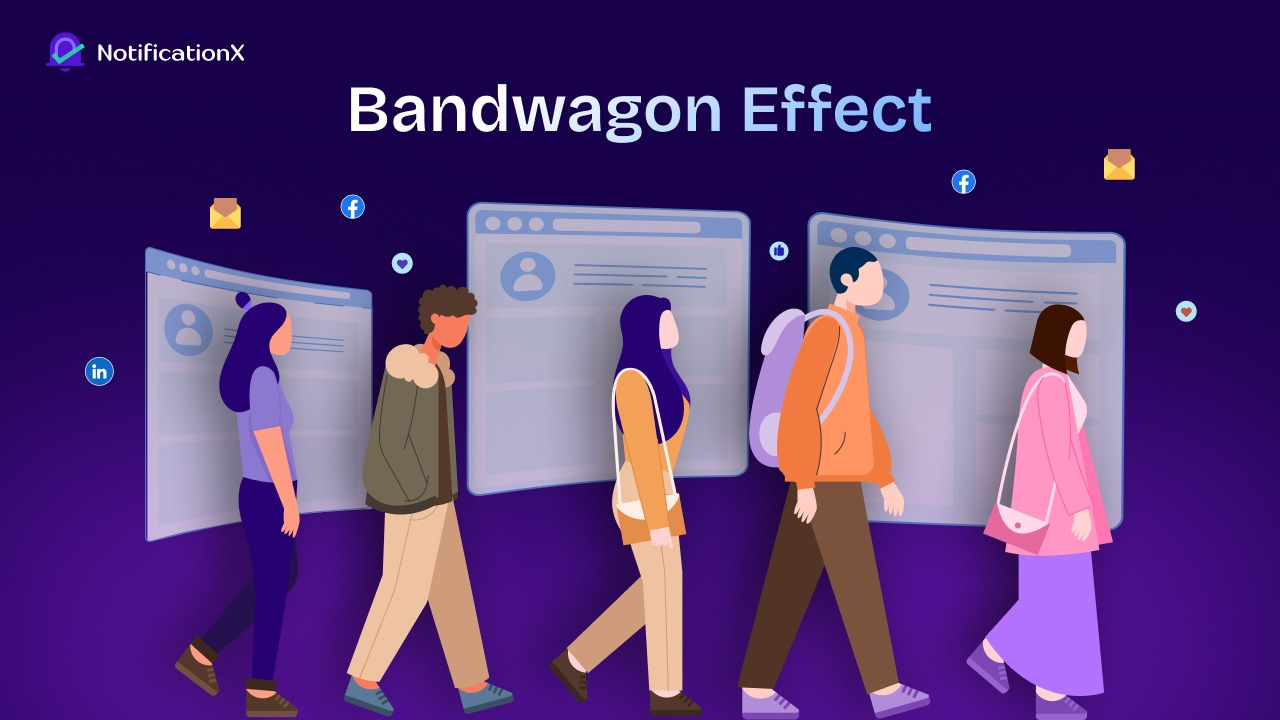
Online stores tap into both by surfacing real-time evidence that the crowd is moving toward a specific product, plan, or offer.
3. Loss Aversion And the FOMO Trigger
People feel the pain of losing something roughly twice as strongly as the pleasure of gaining the same thing, according to Kahneman and Tversky’s foundational work on loss aversion. When a visitor sees that “5 people just bought this in the last hour,” the framing shifts. They are no longer choosing whether to buy. They are choosing whether to miss out and that is a much sharper decision.
How Much Does Activity-Based Social Proof Actually Lift Conversions?
The data backs up the psychology. Activity-based social proof is one of the most cost-effective conversion levers available to eCommerce and SaaS sites.
The Numbers From Across the Industry
Recent benchmarks tell a clear story. Conversion optimization research shows that publicly visible social proof, such as customer counts and live activity, produces an average 12.5 percent conversion lift on its own. FOMO and urgency tactics often push that number above 20 percent. Behavior-triggered notifications, the kind that fire only when activity actually happens, drive engagement up to 92 percent higher than mass-blast messaging.
Real-world Brand Examples
The biggest brands quietly use this lever every day. Dropbox highlights its multi-million user base on signup pages. Airbnb shows live booking counts and listings per city. Amazon ranks products by recent sales velocity and shows how many people have bought specific items in the past 24 hours. These are not decorative numbers. They are a conversion infrastructure.
Smaller stores show similar wins. Documented brand case studies on FOMO marketing include a subscription box business that lifted sales by $100,000 after adding social proof notifications and a premium dog food brand that recovered abandoned carts by surfacing real-time purchase activity. The mechanism is the same regardless of store size.
Why the Lift Compounds Over Time
Activity-based social proof is not a one-time bump. Every additional visitor who converts becomes another data point you can show the next visitor. The crowd grows visibly, which makes future visitors more likely to convert, which grows the crowd again. This compounding loop is why stores that turn on activity notifications early in their lifecycle tend to keep the gains.
5 Types of Activity to Show on Your Website
Not all activity is equally persuasive. Different signals do different jobs. Here are the five types that move the needle.
i. Recent Purchases And Sales Alerts
The classic. A small notification that announces “Maria from Toronto just bought the Pro Plan” tells a hesitant shopper that other people are buying right now. It works best on product pages, checkout pages, and pricing pages where the visitor is closest to a buying decision.
ii. Live Visitor Counts And Product Views
Showing how many people are currently viewing a product creates immediate urgency. “12 people are looking at this right now” signals popularity, scarcity and momentum all in one line. This format works particularly well on limited-stock items and flash sales.
iii. Recent Signups And Downloads
For SaaS, course creators and lead-generation sites, signup activity is the right signal to surface. A notification announcing “Jamal just downloaded the free guide” или “234 marketers signed up this week” turns invisible activity into a visible vote of confidence in your offer.
iv. Reviews And Ratings Activity
Live review activity combines social proof with quality validation. A notification like “Sarah just left a 5-star review on this product” doubles as a testimonial and recency signal. It is especially effective on product pages where the visitor is evaluating quality before purchase.
v. Cumulative Milestones And Growth Alerts
Long-tail social proof. “Trusted by 50,000 marketers,” “10,000 happy customers,” или “We have served 2 million orders” works on landing pages, about pages and pricing pages. It tells visitors that you are not new, you are not small and you are not a risk worth waiting on.
How to Add Wisdom of the Crowd Notifications to WordPress (Without Coding)
WordPress sites face a specific challenge. Most platforms do not display real activity by default, and adding it manually requires custom code that breaks with every theme update. A purpose-built notifications plugin solves this cleanly.
Why WordPress Sites Need a Dedicated Notifications Plugin
WooCommerce, Easy Digital Downloads, LearnPress and most form plugins capture activity, but they do not surface it on the storefront. Without a layer that pulls that data and displays it as live notifications, every order, signup and review sits hidden in your admin panel. A notifications plugin closes that gap and turns existing data into conversion fuel.
Setting Up Live Activity Notifications with NotificationX
NotificationX is a WordPress solution built specifically for activity-based social proof. It pulls live data from your existing tools (sales, signups, reviews, growth metrics) and displays it as configurable notifications on your front-end. Setup takes minutes and requires no code. You select the data source, choose the notification style, set placement rules and publish.
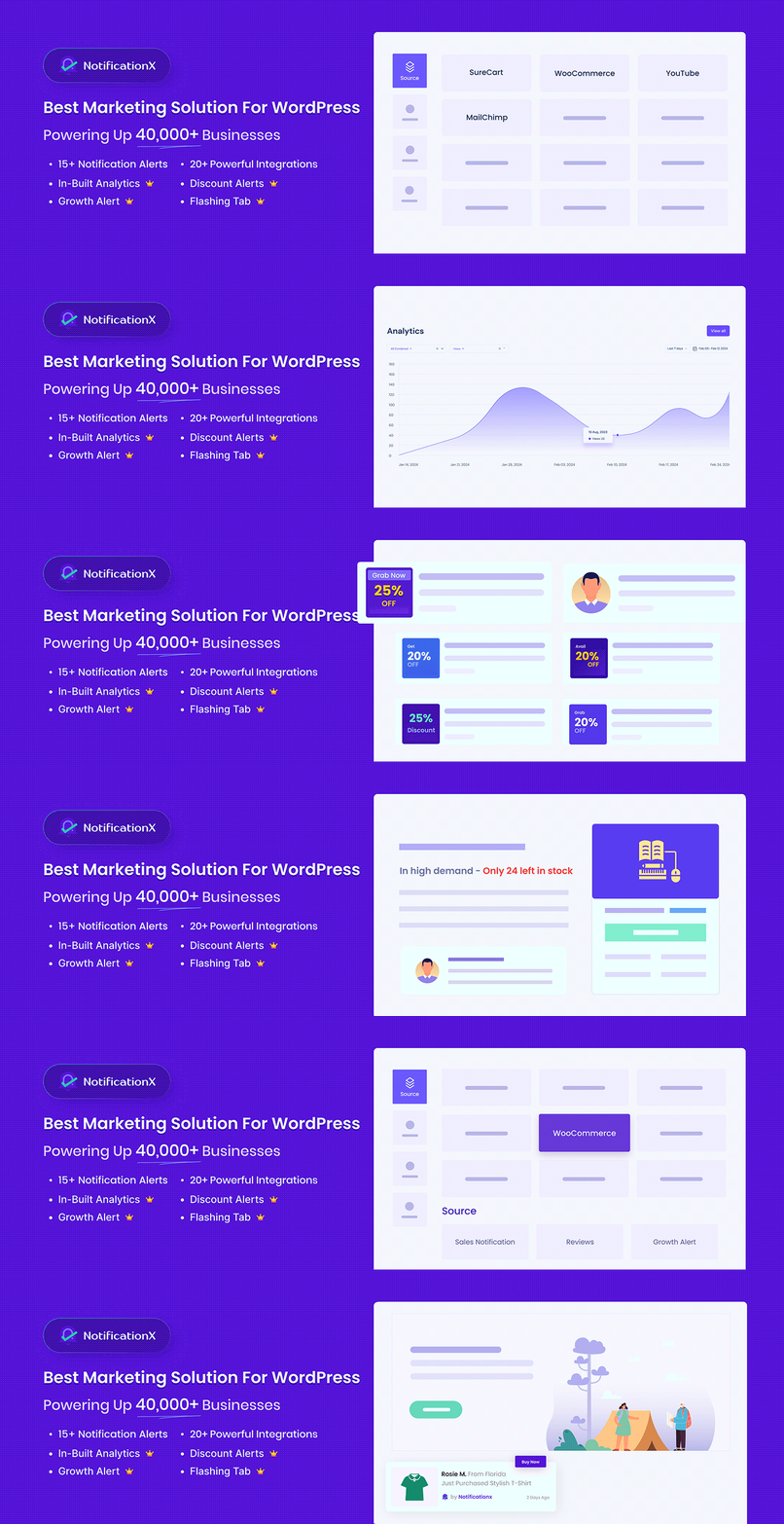
NotificationX Setup & Publishing Process
- Install NotificationX by downloading the plugin ZIP file from WordPress.org, uploading it to your WordPress site, and activating it.
- Create a New Notification by selecting the notification type that best fits your goals.
- Customize the Design using a ready-made template or by creating a fully custom notification layout.
- Configure Content & Display Settings, including text, images, links, position, and appearance preferences.
- Set Display Rules such as notification frequency, visibility conditions, and placement on your website.
- Publish & Monitor Performance to make notifications live and track engagement through built-in analytics.
Integrations that Matter
The strength of any activity notification system is the data it can read. NotificationX has 20+ integrations, including WooCommerce, EDD, LearnPress and more, so you can pull sales alerts from your store, enrollment notifications from your courses and growth alerts from your email or membership platforms. The more data sources you connect, the richer your wisdom-of-the-crowd signals become.
Customizing Notifications for Your Brand And Audience
Generic pop-up alerts look spammy. The full особенность set inside NotificationX includes design controls for theme, placement, animation, frequency and targeting. You can show purchase notifications only on product pages, signup alerts only on landing pages and growth alerts only above the fold on the homepage. Tight controls keep notifications relevant, on-brand and conversion-focused.
Best Practices And the Ethics of Live Activity Notifications
The wisdom of the crowd is powerful, which means it can also be abused. A few principles separate effective implementation from manipulation.
✅ Show Real Data Only: Authentic notifications drive trust. Fake notifications destroy it. Visitors are increasingly skilled at spotting fabricated activity, and a single discovered fake (a notification fires from a city that does not exist, or repeats a name too often) is enough to lose the sale and damage your brand. Always wire notifications to real data sources.
✅ Time and Place Notifications Strategically: A purchase alert on a contact page is irrelevant. A signup notification on a checkout page is distracting. Use placement rules to show the right signal in the right context. Product pages get purchase activity. Pricing pages get plan signups. Landing pages get cumulative milestones. Each placement reinforces the decision that the page is built to drive.
✅ Avoid Notification Fatigue: Frequency matters as much as relevance. Too many notifications in a short window create visual noise and train visitors to ignore them. A good baseline is one notification every 8 to 12 seconds, with a maximum of three to four per page view. Test and tune based on your bounce rate and conversion data.
✅ The Risk of Fake Activity and Why It Backfires: Real-world use cases consistently show that the brands seeing the biggest wins are the ones using genuine activity data. Stores that fabricate activity for early-stage credibility usually face two outcomes: visitors detect the inconsistency and bounce, or the brand loses the muscle to read real conversion signals. Real data scales. Fake data does not.
Use Social Proof to Boost Conversions & Sales
The wisdom of the crowd is one of the oldest forces in human decision-making and one of the most underused levers in WordPress marketing. Three takeaways are worth holding on to.
First, real-time activity is faster and more persuasive than testimonials because it removes uncertainty in seconds. Second, the right activity to show depends on the page goal, not on what is easiest to display. Third, authenticity is the only sustainable foundation for activity-based social proof.
If you are ready to turn the busyness of your business into a visible signal on every page, explore NotificationX pricing and see how live activity notifications can lift your conversions from day one.
Do not forget to подписывайтесь на наш блог for more informational and marketing content. Join our Сообщество Facebook to discuss the latest community trends and discussions




 English
  Arabic
  Indonesian
  Spanish
  Portuguese
  German
  Dutch
Dutch  Russian
  Hindi
Hindi  French
  Japanese
  Chinese
  Vietnamese
  Malay
Malay