Struggling to convert website visitors into customers? Or maybe you are on a limit to find a flexible, powerful plugin for your WordPress site? NotificationX and Bit Integrations are here to change that. Together, they combine real-time social proof notifications with access to 300+ popular platforms to give you what you actually need to drive sales and grow your business effortlessly.
In this blog, we will learn more about how this integration works and how it can help to boost conversion on your website. Let us get started.
What Is Bit Integration?
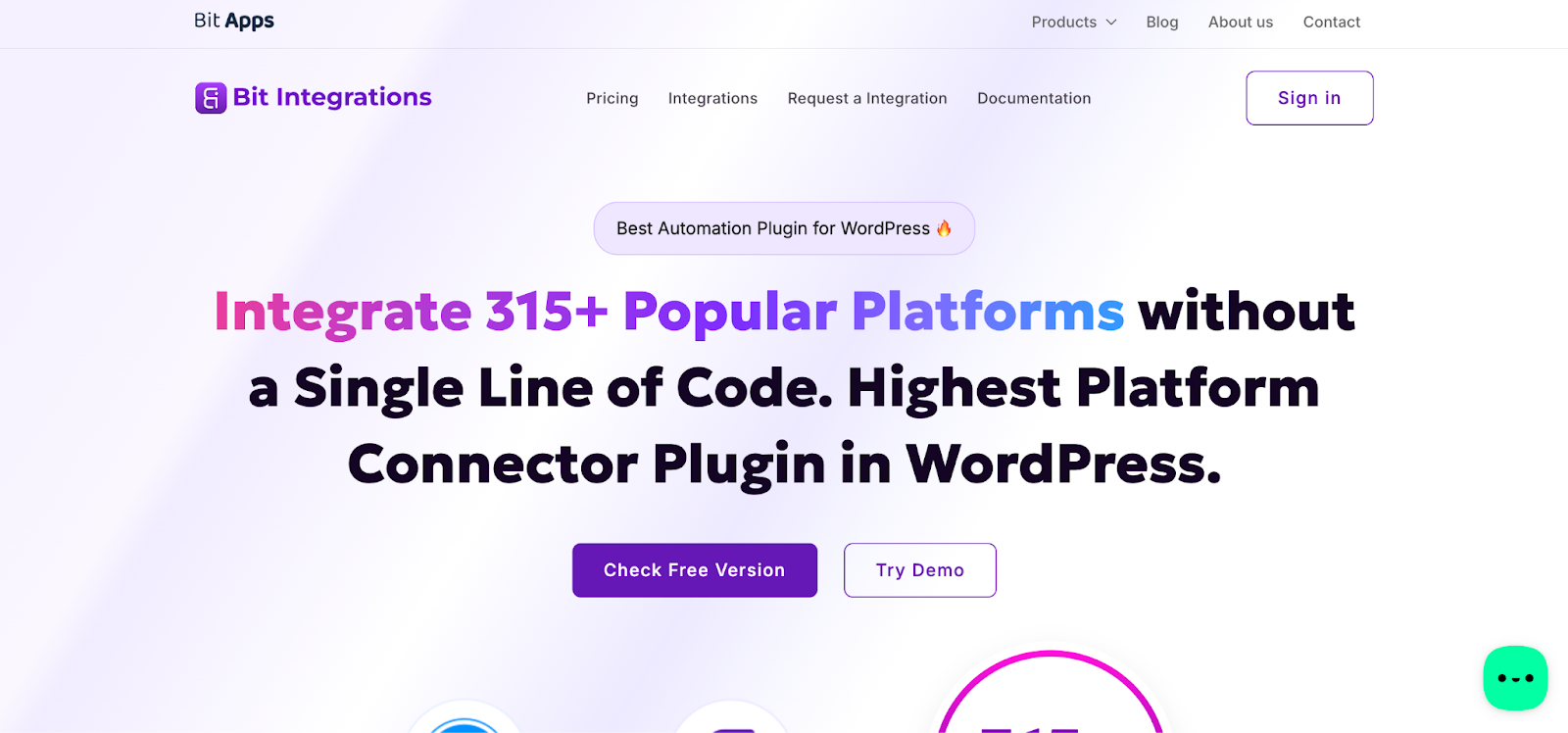
Bit Integrations is a no-code automation plugin for WordPress, developed by Bit Apps. It allows WordPress website owners to connect their site with over 315 popular third-party platforms, such as Mailchimp, Zoho CRM, Telegram, Trello, WhatsApp and many more, without writing a single line of code. The plugin works by letting users set up a trigger (the source of data, like a form submission) and an action (the destination platform), then mapping the fields between them to automate data transfer seamlessly.
For example, imagine you run an online course website using WooCommerce and Tutor LMS. Every time a student completes a purchase, Bit Integrations can automatically add that student’s information to your Mailchimp email list, send them a welcome message via WhatsApp, and create a new contact in your Zoho CRM, all at the same time, without any manual effort.
Top Use Cases of NotificationX & Bit Integrations to Rise Conversions with Social Proof
Whether you run an eCommerce store, an online course platform, or a membership site, the NotificationX and Bit Integrations connect social proof for 300+ tools and platforms. Let’s break down who benefits most.
- eCommerce Store Owners: Trigger real-time purchase notifications from WooCommerce or other connected sales platforms to show shoppers that others are actively buying, creating powerful FOMO that pushes hesitant visitors toward checkout.
- Online Course Creators & LMS Owners: Using platforms like Tutor LMS, LearnDash, or LifterLMS as Bit Integrations sources, course instructors can display live enrollment notifications that encourage prospective students to sign up before seats fill up.
- Digital Product & SaaS Sellers: Showcase new user sign-ups as social proof pop-ups to reassure potential buyers that their product is popular and trusted.
- Lead Generation & Service-Based Businesses: When a contact form (Gravity Forms, Fluent Forms, Elementor Form, etc.) is submitted via Bit Integrations, NotificationX can trigger a notification showing that someone recently reached out, proving active engagement and encouraging others to do the same.
- Email Marketers & Newsletter Publishers: Display live subscriber notifications pulled from Mailchimp, ActiveCampaign, or Brevo via Bit Integrations, nudging visitors to join a growing community of readers.
- Membership Site Owners: Show real-time membership sign-up or renewal notifications to new visitors, reinforcing that the community is growing and the value is real.
- WordPress Agencies & Freelancers: This integration removes the need to wait for native NotificationX support; any platform Bit Integrations supports can instantly become a social proof trigger, making it an incredibly flexible solution to deploy across multiple client projects.
How NotificationX And Bit Apps Integration Work Together?
NotificationX, one of the most popular social proof and marketing solutions for WordPress, now integrates with Bit Integration. With this, users can empower their websites with more tools, which will lead to driving conversions and engaging more customers on the website. In this part, let us have a detailed look at how this integration works step-by-step.
Step 1: Set up Your Notification
First, go to your WordPress dashboard and then go to the NotificationX dashboard. For Bit Integration, you can select 3 types of notifications – Pemberitahuan Jualan, Ulasan dan Langganan E-mel. Here, let us select Review Notification for the website. Then, from the source select ‘Bit Integration’ and then click on the 'Seterusnya' butang.
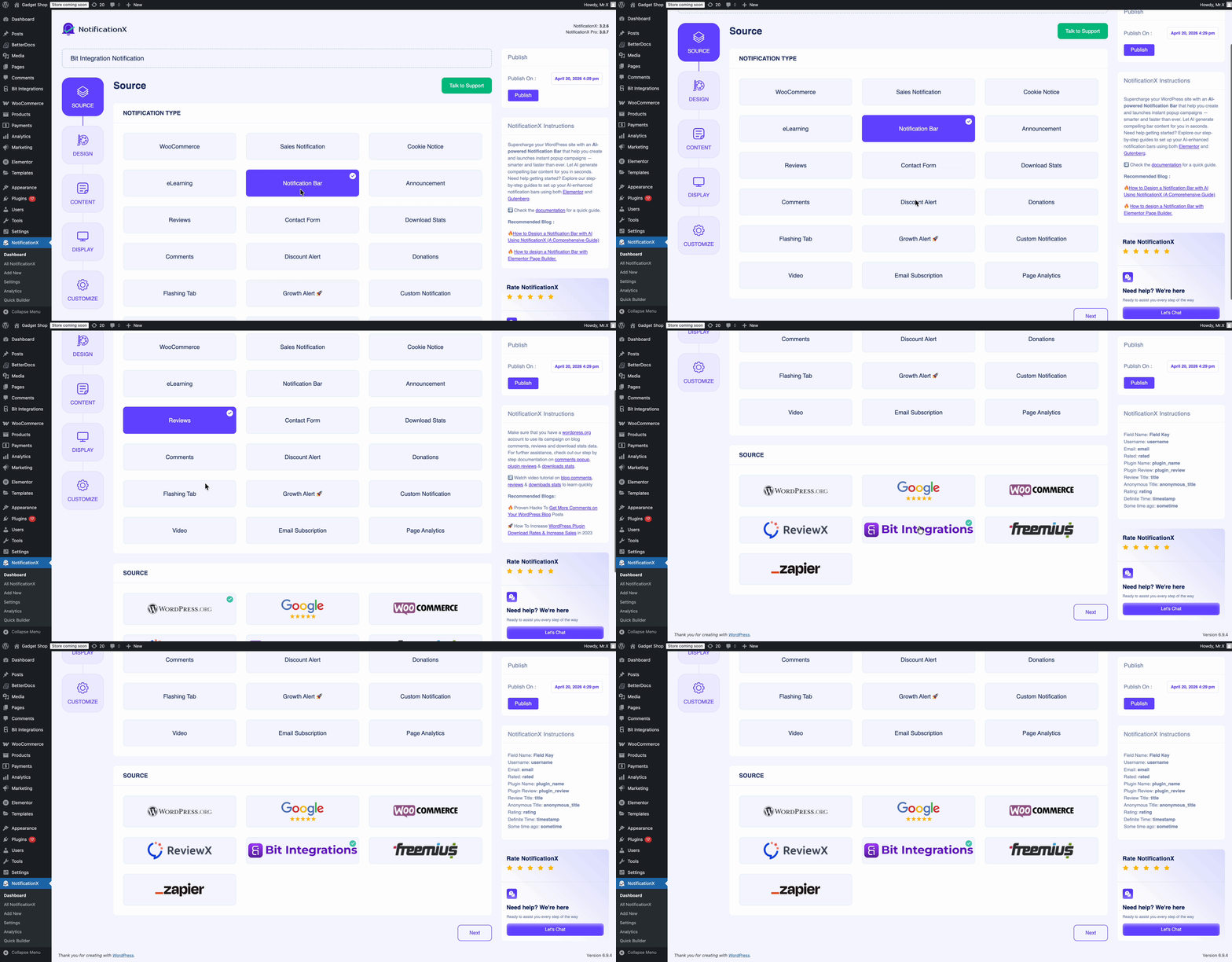
After that, add design, change content, set up display settings and choose a customization option for your notification. Check the documentation to learn more about how you can show reviews on your website.
Step 2: Configure the Bit Apps Integration
Now, go to the Bit Integrations dashboard. From there, you will find all the resources that you can connect to. Click on ‘Create Integration’ and from there choose the trigger.
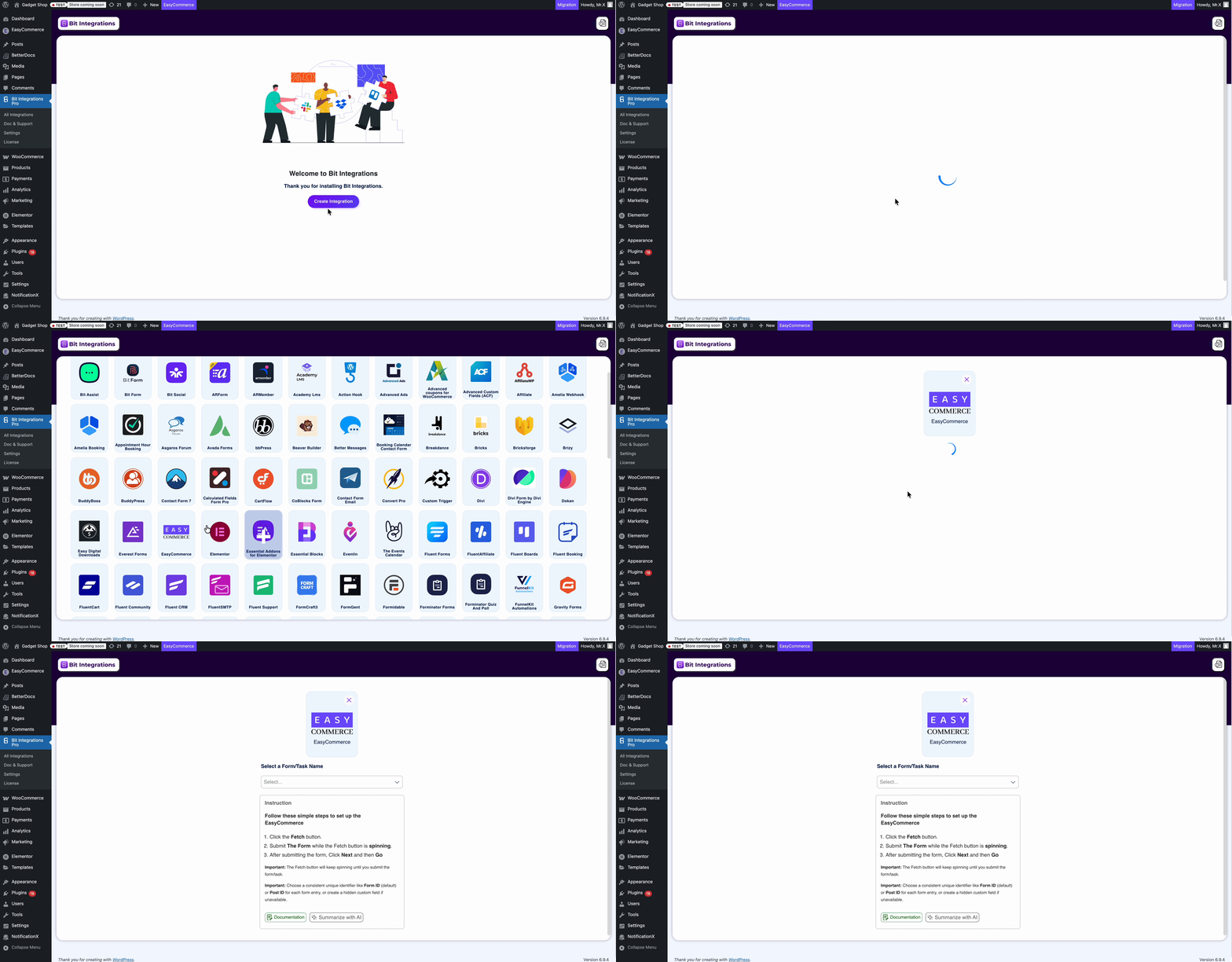
Step 3: Select NotificationX As Trigger
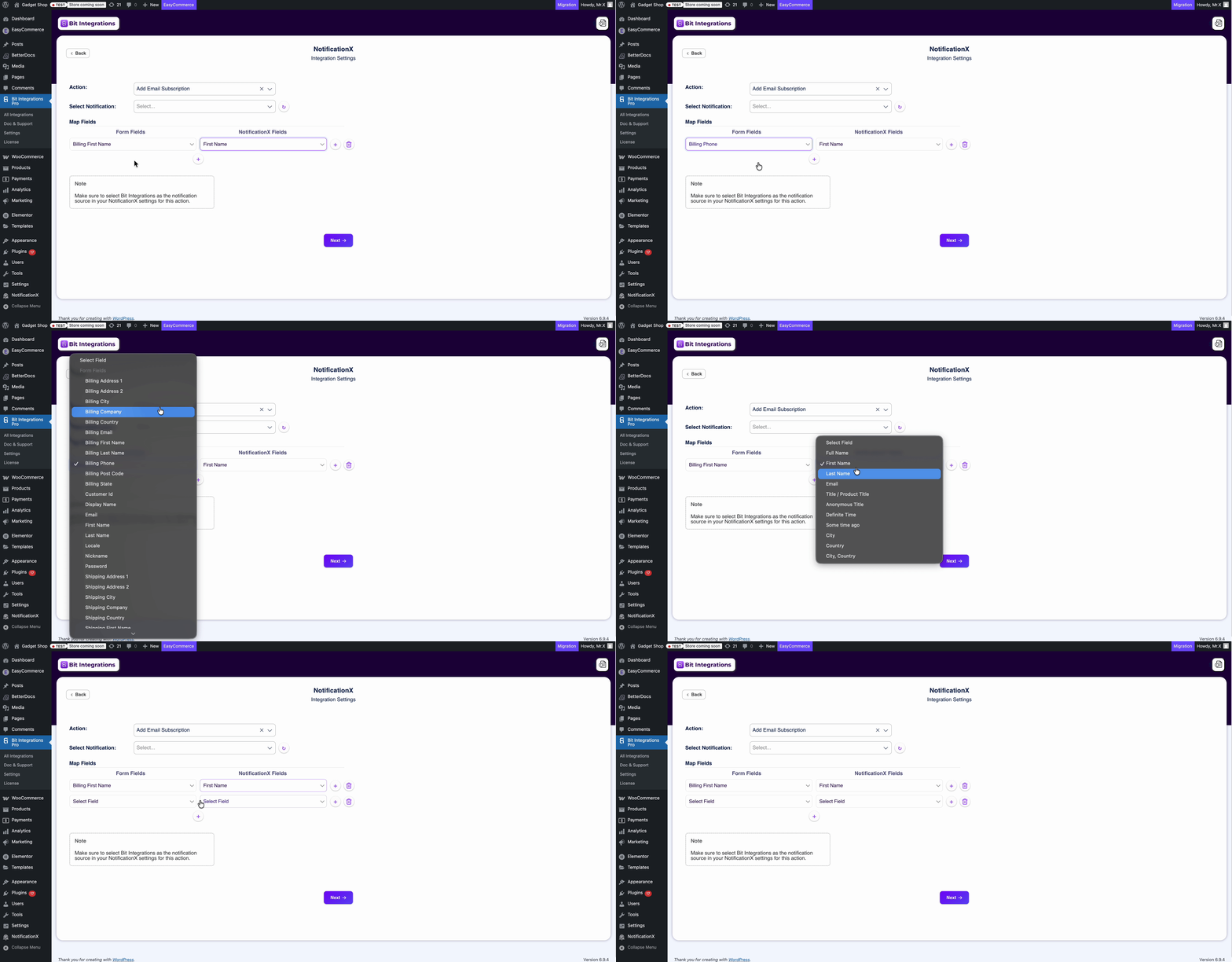
After this step, select NotificationX as the trigger. There, you can set the notification name and after that, click on ‘Authorize’. After successfully authorizing, you can set which set of notifications you want to show to your visitors.
Then, match your form fields and NotificationX fields to showcase the notification perfectly. To learn more details about this, check the documentation.
Hasil Akhir
Finally, you will see that your notification is LIVE on your website based on the notification you have set up. In this simple, step-by-step process, you can easily integrate with your favourite plugin.
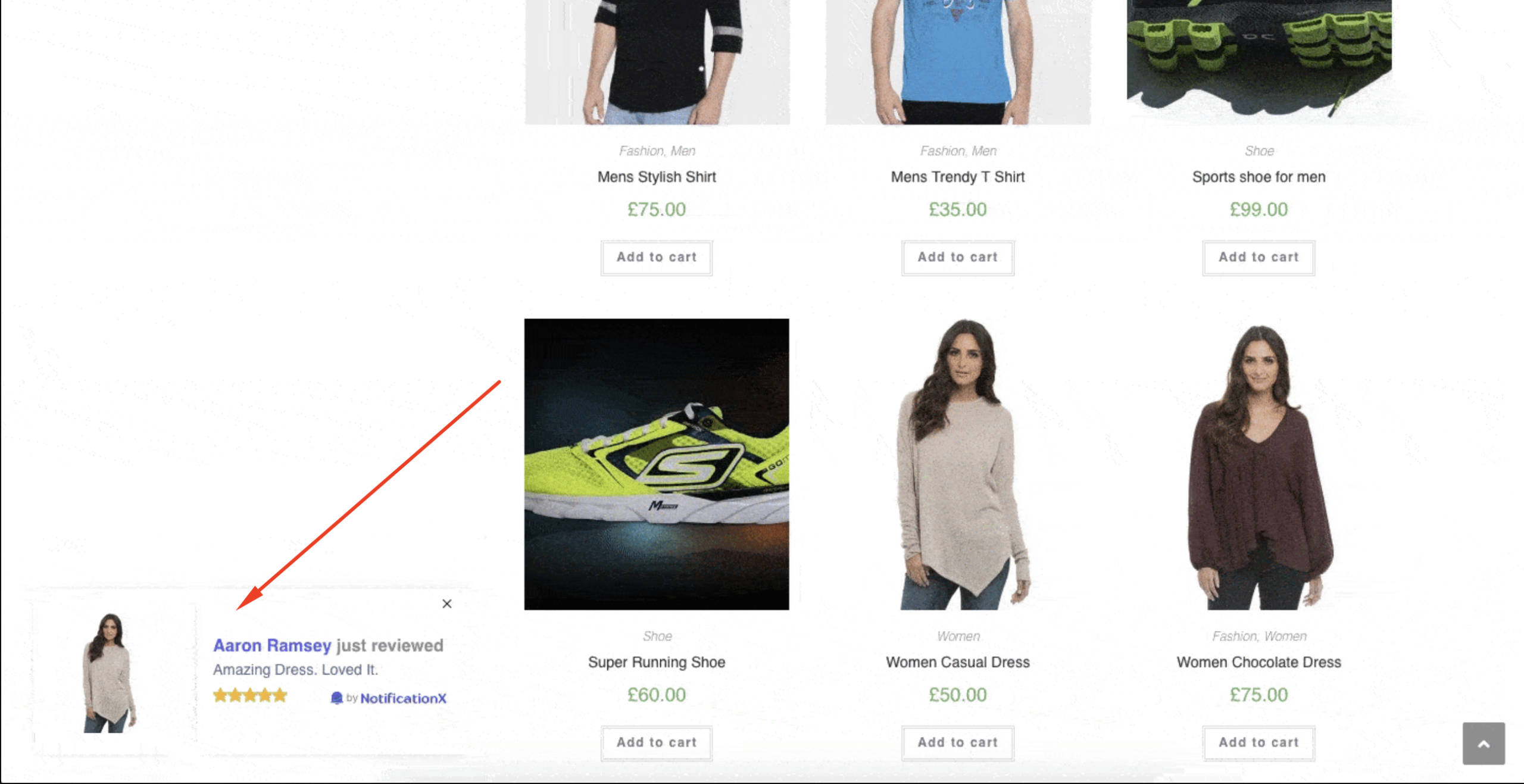
Use NotificationX And Bit Integrations to Maximize Conversion Rate with Real-Time Social Proof
The website conversion not only depends on a single tool or plugin. By integrating with diverse apps and plugins, it increases the chance of boosting conversion and engagement. Integration of NotificationX and Bit Apps will help more users to create better social proof and give users more options to engage users.
Want to learn more about social proof and marketing? Do not forget to melanggan blog kami. What integration do you want to see next? Let us know in our Komuniti Facebook.



 English
  Arabic
  Indonesian
  Spanish
  Portuguese
  German
  Dutch
Dutch  Russian
  Hindi
Hindi  French
  Japanese
  Chinese
  Vietnamese
  Malay
Malay