
Countdown timers are one of the simplest ways to create urgency and encourage visitors to take action. Studies show they can increase conversions by 8% to 35%, especially for flash sales and shipping deadlines. But the key is not just adding a timer—it is using the right countdown in the right context.
Leading brands like Amazon, Booking.com, Apple, Tesla, and Nintendo use countdown timers in different ways to drive sales, product launches, and event registrations. In this guide, you’ll explore 15 real countdown timer examples across five common use cases, with practical ideas you can apply to your own WordPress website.
Quick Summary / TL;DR
- Countdown timers drive documented conversion lifts of 8% to 35% across ecommerce studies.
- The 5 use case categories: eCommerce flash sales, cart and checkout urgency, product launches, digital content deadlines, and events with fundraising.
- Top examples include Amazon Prime Day, Booking.com checkout timers, Apple event pages, Tesla product reveals, and Kickstarter campaign deadlines.
- The rule that separates converting timers from trust-breaking timers is simple: only display urgency that is genuinely true.
- NotificationX gives WordPress site owners the tools to replicate any of these patterns without code.
Why Countdown Timers Work (The Psychology)
Countdown timers activate three well-documented psychological mechanisms at once. Understanding them is the foundation for using timers ethically and effectively.
The first is the scarcity principle, one of the six universal principles of persuasion documented by Robert Cialdini. When something is rare or becoming rare, the brain assigns it a higher value.
The second is loss aversion. “Save 30 dollars before midnight” and “You will lose 30 dollars in savings at midnight” are logically identical but emotionally different. Loss-framed urgency messages convert 15% to 20% higher than gain-framed messages because loss aversion is stronger than the desire for gains.
The third is FOMO, the fear of missing out, which affects roughly 69% of millennials and Gen Z consumers. Research on countdown timer conversion mechanics confirms that FOMO plus visible countdown displays can push conversion boosts to 30% to 50% in high-traffic ecommerce contexts. A study analyzing Booking.com’s scarcity cues in an academic journal on scarcity marketing further identified two distinct paths through which timers convert: an urgency path (“get it before it is gone”) and a value path (“if others want it, it must be good”).
The ethical line is clear. Genuine deadlines and honest inventory data convert. Manufactured urgency generates short-term lifts and long-term brand damage.
15 Real Brand Countdown Timer Examples
Want to see countdown timers that actually drive conversions? Here are 15 real-world examples from leading brands, showing how they drive conversions (increase sales, signups, and customer engagement) using countdown timers.
1. Amazon Prime Day
During Prime Day, Amazon displays a countdown next to Lightning Deals, showing exactly how much time remains before the deal expires or how quickly stock is claimed.
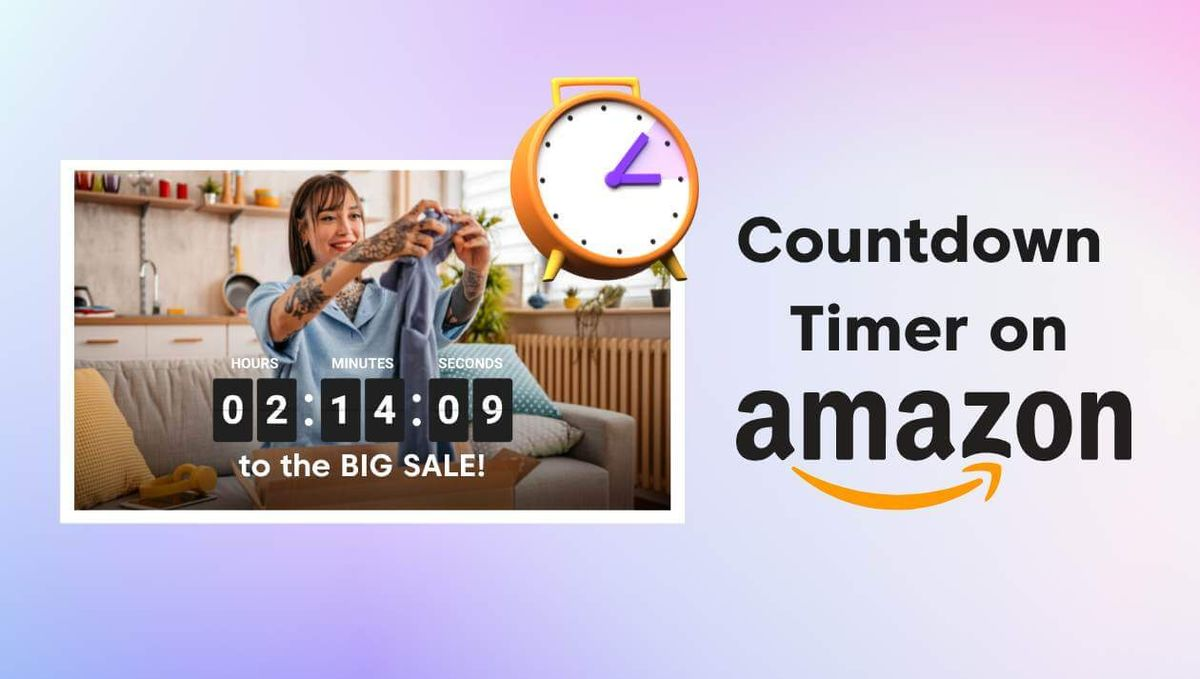
The timer sits directly beneath the product image with a percentage bar showing how much of the deal has been claimed. It combines deadline urgency with visible depletion, which is why it consistently drives some of the highest velocity purchases in ecommerce.
2. ASOS Sitewide Flash Sale
ASOS deploys a persistent sitewide countdown banner during flash sales and seasonal events. The timer runs across the top of every page, including product detail, category, cart, and checkout.
This creates continuous reinforcement of the deadline throughout the shopping journey, which is why sitewide banners consistently outperform single-placement timers for time-limited promotions.
3. Best Buy Cyber Monday
Best Buy runs a Cyber Monday countdown across its homepage hero and category banners. The timer counts down to specific hourly deals during the sale window, coordinated with email campaigns and social media announcements.
وفق research on effective urgency tactics compiled by OptiMonk, Best Buy’s daily deals approach also pairs stock-level messaging (“Only 2 left”) with the countdown, adding a second scarcity layer that reinforces the timer.
4. Booking.com Checkout Hold Timer
Booking.com displays a “Book within X minutes to secure this rate” timer during the room selection and checkout flow. The hold timer combines scarcity (“this rate may not be available if you delay”) with a specific deadline. Booking.com layers this with additional social proof messages (“14 people are looking at this hotel right now”), creating one of the most sophisticated urgency stacks in ecommerce.
5. Nike SNKRS Product Drop
ال Nike SNKRS app displays a precise countdown for exclusive shoe drops. The timer counts down to the drop moment, then flips into a live drawing or purchase window with its own micro-countdown. The extreme scarcity and hard deadline of SNKRS drops make the timer the emotional center of the app experience.
6. Zappos Free Shipping Deadline
Zappos displays an “Order within X hours for delivery by [date]” countdown on product pages and in the cart. This is the highest-performing countdown timer format in ecommerce because the deadline is completely genuine and directly helpful to the customer. Shipping-cutoff timers convert well precisely because they respect the shopper rather than manipulate them.
7. Apple Event Countdown
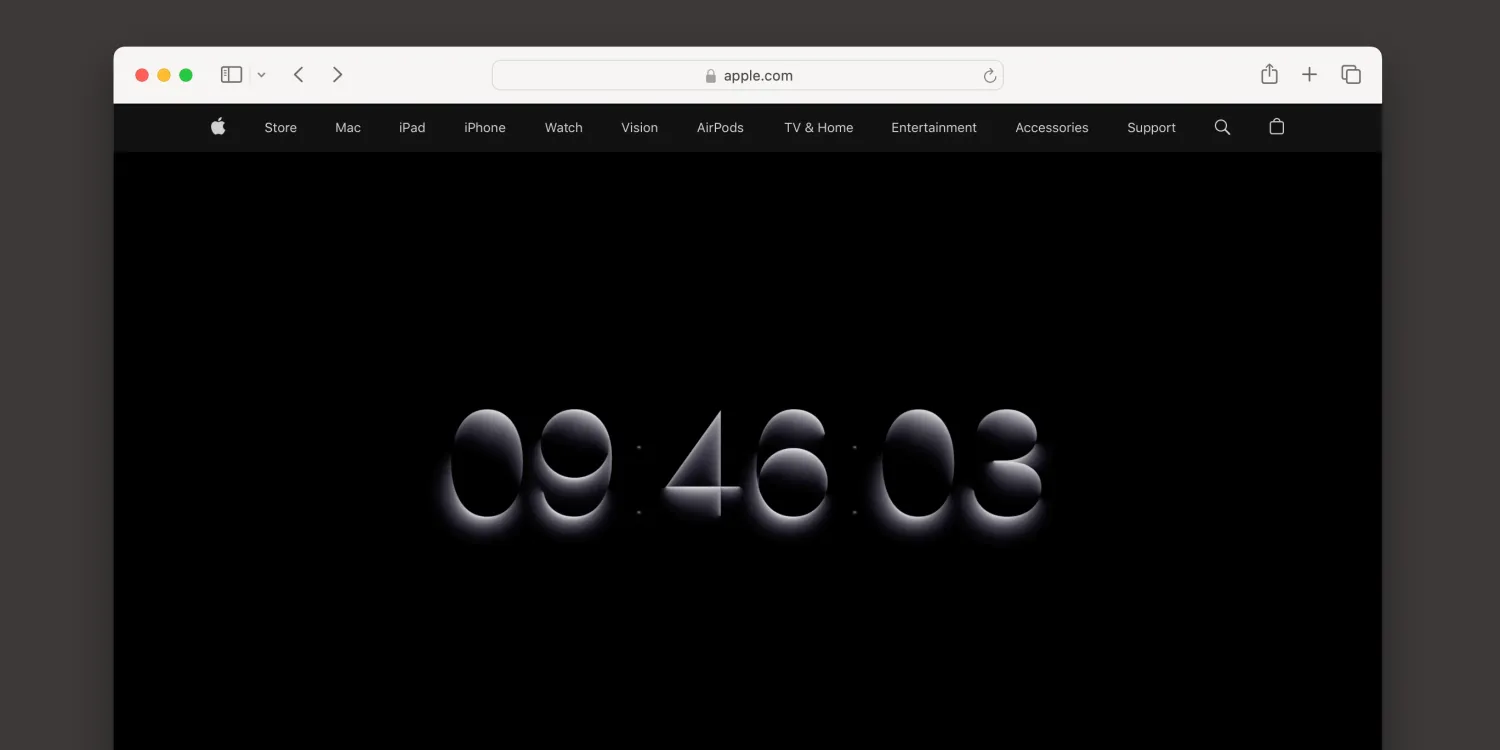
Apple hosts a countdown on the events page ahead of major product reveals such as iPhone launches. The countdown starts weeks in advance and coordinates with social announcements, developer previews, and press coverage. The countdown itself becomes a media event, driving traffic to the events page and setting the stage for the reveal to reach the widest possible audience.
8. Tesla Product Reveal Countdown
Tesla has used countdowns on its landing pages ahead of major product reveals, including Cybertruck and various vehicle launches. The countdown builds anticipation without revealing the product itself, which triggers speculation, social media discussion, and pre-order intent. This is countdown timer marketing used less for immediate conversion and more for brand momentum.
9. Nintendo Direct Stream Countdown
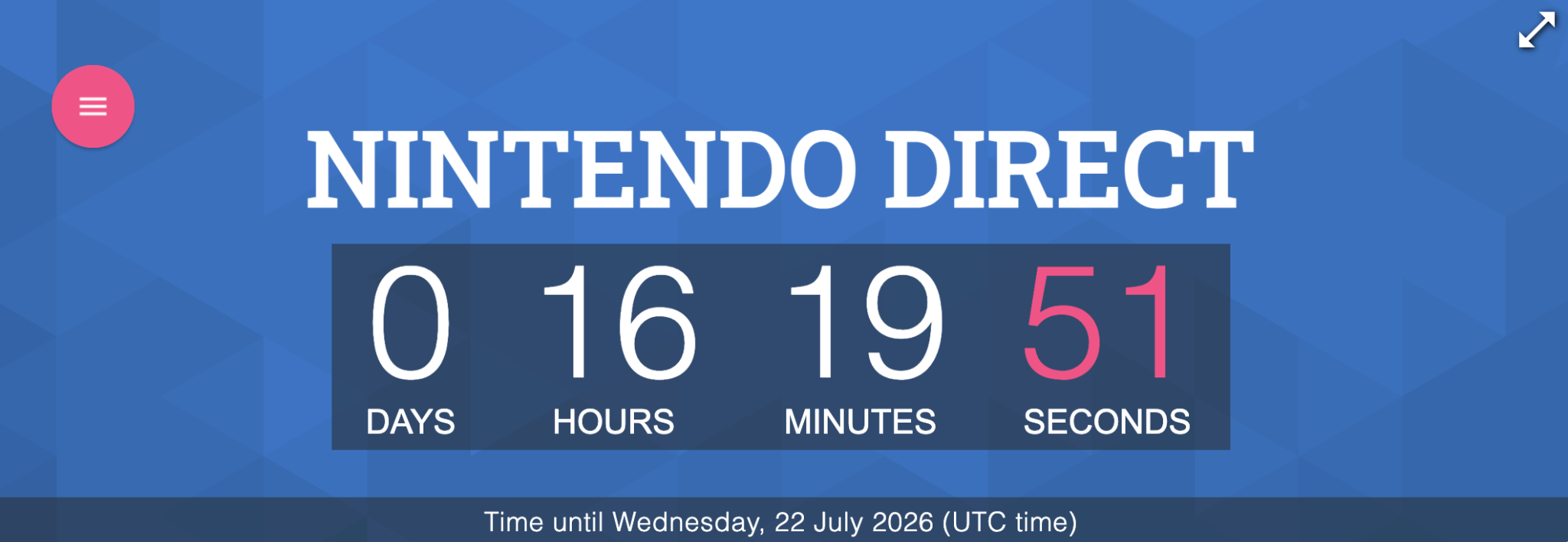
Nintendo runs a countdown on the Nintendo Direct landing page ahead of every livestreamed announcement. Millions of fans tune in specifically because the countdown has built anticipation across gaming media for days or weeks. The countdown transforms a marketing event into a scheduled cultural moment, comparable in scale to major sports broadcasts.
10. Kickstarter Campaign End
Every Kickstarter campaign page displays a prominent countdown to the campaign’s funding deadline. The countdown drives the classic Kickstarter conversion spike in the final 48 hours, where a meaningful percentage of pledges land as backers realize their last chance to support is closing. Kickstarter has essentially built its entire product around the countdown mechanic.
11. Netflix Show Premiere Countdown
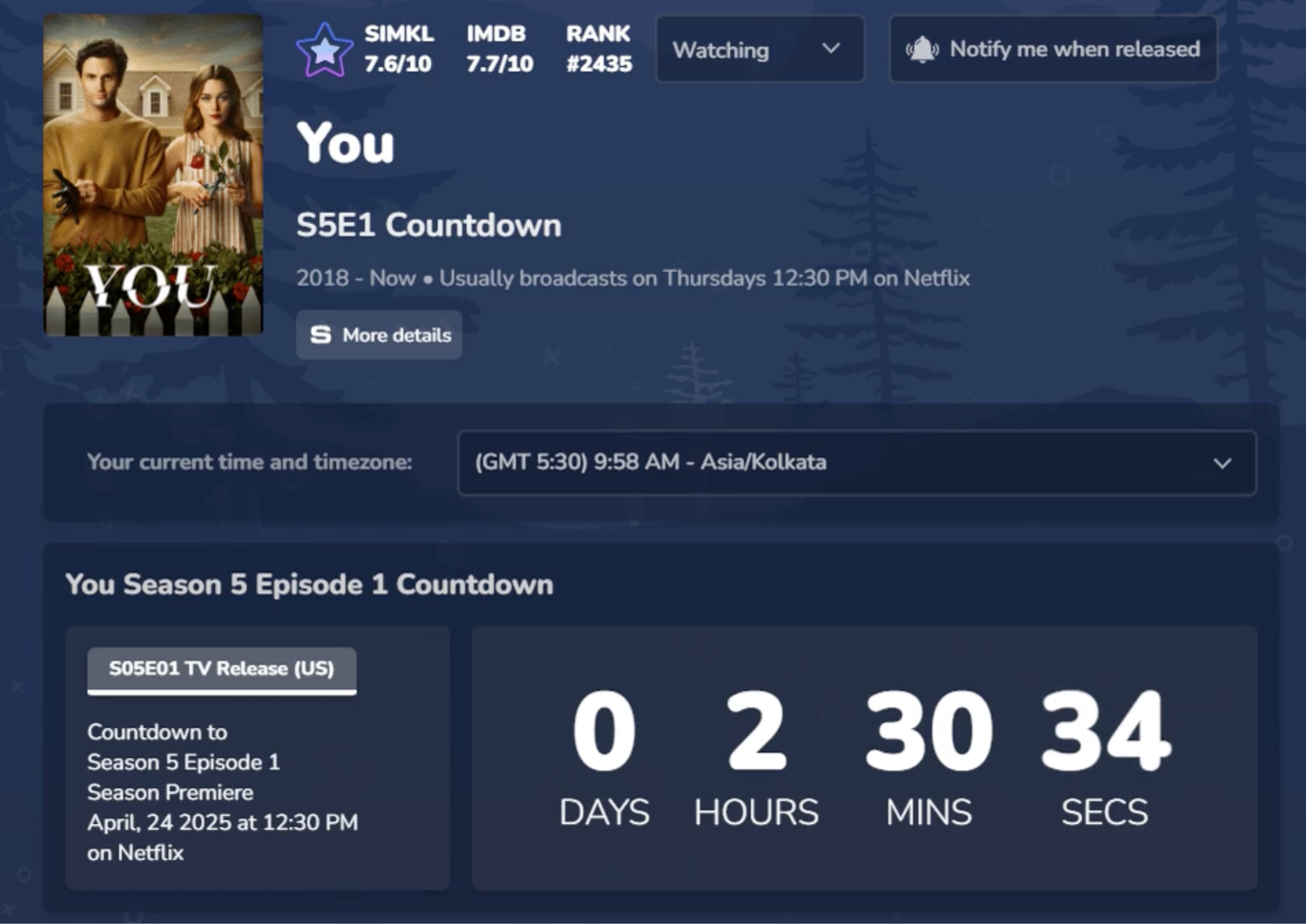
Netflix displays “coming soon” countdowns for high-profile releases including major series premieres. The countdown appears on the show’s landing page and inside the Netflix app, timed to launch the second the show goes live. This transforms a passive release calendar into an active anticipation event that fans coordinate around on social media.
12. Coursera and Online Course Enrollment
Coursera, Teachable, and similar course platforms display enrollment deadline countdowns for cohort-based courses and time-limited course prices. The countdown converts fence-sitters by making the enrollment window feel concrete rather than abstract. Combined with limited seats messaging, the timer regularly drives 20% to 30% of enrollments in the final 24 hours before the deadline.
13. Ticketmaster Checkout Hold Timer
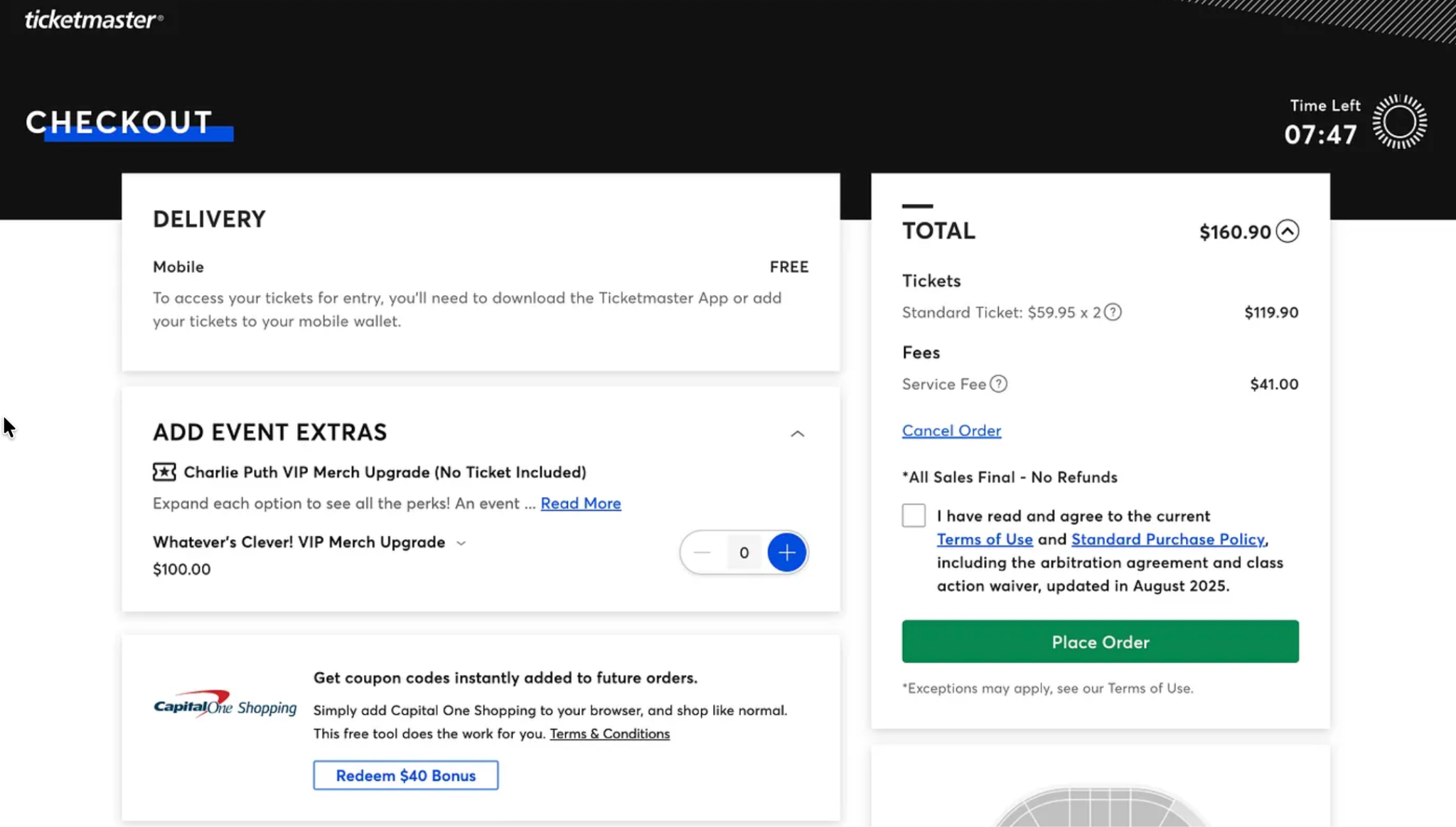
Ticketmaster displays a 10-minute countdown once tickets are placed in a cart. If the customer fails to complete checkout within the window, the tickets return to the pool. This is one of the most effective real-time cart timers in any industry because the deadline is completely genuine, tied to actual inventory scarcity, and known to be non-negotiable.
14. HubSpot Webinar Registration
HubSpot places countdown timers on webinar registration pages showing time remaining until the live event. According to eCommerce and marketing research on countdown timer use cases, pre-event countdowns like these can boost registration rates by up to 40% because they convert the abstract “someday” registration into an immediate deadline decision.
15. Charity: Water Matching Gift Deadline
Nonprofits including Charity: Water deploy countdown timers on donation pages during matching gift campaigns. The timer counts down to the moment the match expires, creating urgency around the doubling of impact. GivingTuesday campaigns follow the same pattern industry-wide. The mechanism turns a distributed donation window into a concentrated giving surge in the final hours.
What Makes a Countdown Timer Actually Convert
Not every timer works. The five principles below separate timers that convert from timers that break trust.
i. Use only genuine deadlines. Timers that reset every time a page is refreshed generate short-term lifts and long-term brand damage. Modern consumers screenshot timers, check the Wayback Machine, and expose fake urgency on social media. The rule is simple: only display urgency that is actually true.
ii. Frame with loss language. “Save 40 dollars before midnight” is a gain frame. “Your 40-dollar discount expires at midnight” is a loss frame. Loss-framed messaging converts 15% to 20% higher because loss aversion is stronger than the desire for gains.
iii. Place the timer where the decision happens. The four highest-impact placements are the announcement bar (sitewide sales), directly below the Add to Cart button (product-specific urgency), inside the cart or checkout (free shipping deadlines and hold timers), and exit-intent popups (last-chance offers).
iv. Match duration to intent. Impulse purchases work best with 5 to 15-minute timers on cart or exit-intent popups. Flash sales work best in the 24 to 72-hour range. Product launches and campaigns work at week or month scale. Match the timer duration to the actual decision window.
v. Pair timers with real scarcity when possible. A countdown combined with “only 3 left in stock” outperforms a countdown alone. Two independent signals of urgency reinforce each other in the buyer’s mind.
How to Add Countdown Timers to Your WordPress Site
Every example above can be replicated on WordPress. The challenge is not the technology but choosing the right tool that supports genuine deadlines, ethical scarcity messaging, and clean integration with your existing site.
NotificationX gives WordPress site owners the full countdown timer stack in a single plugin. The countdown timer, FOMO, and social proof features include announcement bar countdowns, exit-intent popup countdowns, and product page urgency displays.
However, what sets NotificationX apart is that it ships two kinds of countdowns, so you’re never forced to fake urgency. Countdown timers in NotificationX come in two main types: Standard and Evergreen.
- أ fixed (standard) countdown shows the same real end time to every visitor — ideal for a genuine flash sale, a launch, or a seasonal promo that truly closes at a set moment.
- An مؤقت دائم الخضرة does something different: it manages your countdown by tracking each visitor’s cookies and generates a unique countdown for every person.
That is the honest way to run an always-on funnel offer without lying about a sitewide deadline.
You can also fine-tune how the timer behaves: set the time duration, randomize the starting time within an interval, and enable a daily time reset so the countdown restarts each day.
And because timers live inside the same plugin as your live sales alerts and social proof notifications, you can stack the two-signal urgency (a ticking clock plus “12 sold in the last hour”) that Booking.com, Best Buy, and Nike use.
Which NotificationX Feature to Use for Which Use Case
| Your goal/use case | Feature to use | Why it fits |
| Sitewide flash sale or seasonal promo | Notification Bar + Fixed Countdown | Shows one real end time to everyone; the clock matches an actual sale close |
| Always-on / evergreen funnel offer | Notification Bar + دائم الخضرة الموقت | Generates a unique, cookie-based countdown per visitor — urgency without a fake sitewide deadline |
| Product-page purchase urgency | WooCommerce/SureCart integration | Ties timers to real sale end times, live inventory levels, and genuine shipping cutoffs |
| Building trust while people browse | Sales/review /download notifications | Live “someone just bought this” proof pairs with the timer for two-signal urgency |
| Event, webinar, or product launch | Notification Bar + Fixed Countdown to date | Counts down to a specific launch or event moment to build anticipation |
| Catching hesitant or exiting visitors | Notification Bar + display & reappearance rules | Surfaces the countdown to the right audience at the right moment without over-showing it |
The solution integrates directly with WooCommerce, SureCart, and other ecommerce integrations, so timers can be tied to actual sale end times, real inventory levels, and genuine shipping cutoffs.
The conversion lift examples across industries show that a well-configured countdown timer combined with social proof notifications typically delivers a 10% to 15% lift, and up to 30% in flash sale or seasonal contexts.
Add Countdown Timers with the Right Tool to Create the Urgency
The 15 countdown timer examples above span five use case categories, three continents, and dozens of industries, but they all share one principle. Every effective countdown timer reflects a genuine deadline, respects the customer, and matches the psychological moment when the decision is made. That principle is what separates Booking.com’s checkout timer from a fake resetting popup, and what separates Apple’s event countdown from a hype campaign that overpromises.
Three takeaways are worth holding on to. First, categorize your countdown timer by intent before choosing the pattern (flash sale, checkout urgency, launch, campaign deadline, or fundraising). Second, ethical urgency always outperforms manufactured urgency over any meaningful time horizon. Third, WordPress site owners can replicate every one of these patterns without code or expensive platforms.
If you want to capture any of these countdown timer patterns on your own WordPress site, explore NotificationX pricing and turn urgency into a conversion asset that respects your audience.
Frequently Asked Questions (FAQs)
Do countdown timers actually increase sales?
Yes. Research across thousands of ecommerce stores shows countdown timers increase conversion rates by 8% to 35% when paired with genuine limited-time offers. Shipping deadline countdowns tend to deliver the highest lifts because they are always real and directly helpful to the customer. Fake countdown timers can decrease conversions and damage brand trust, so authenticity is critical.
How long should a countdown timer be?
Duration depends on the decision. Impulse purchases and cart abandonment work best with 5 to 15-minute timers. Flash sales work best in the 24 to 72-hour range. Product launches, campaigns, and events work at week or month scale. Very long timers (multiple weeks) lose urgency, while very short timers can feel manipulative in the wrong context.
Where should I place a countdown timer on my site?
The four highest-impact placements are the announcement bar at the top of every page (best for sitewide sales), directly below the Add to Cart button (best for product-specific urgency), inside the cart or checkout (best for shipping cutoffs and hold timers), and in exit-intent popups (best for last-chance offers).
Are fake countdown timers illegal?
Fake countdown timers that reset on page refresh or display false deadlines can violate consumer protection laws in many jurisdictions, particularly under regulations against deceptive advertising practices. In the European Union, the UK, and various US states, manufactured scarcity has been the subject of enforcement actions. Beyond legality, fake urgency causes lasting brand damage when consumers detect it. Only use timers tied to real deadlines.





 English
  Arabic
  Indonesian
  Spanish
  Portuguese
  German
  Dutch
Dutch  Russian
  Hindi
Hindi  French
  Japanese
  Chinese
  Vietnamese
  Malay
Malay